
GITNUXSOFTWARE ADVICE
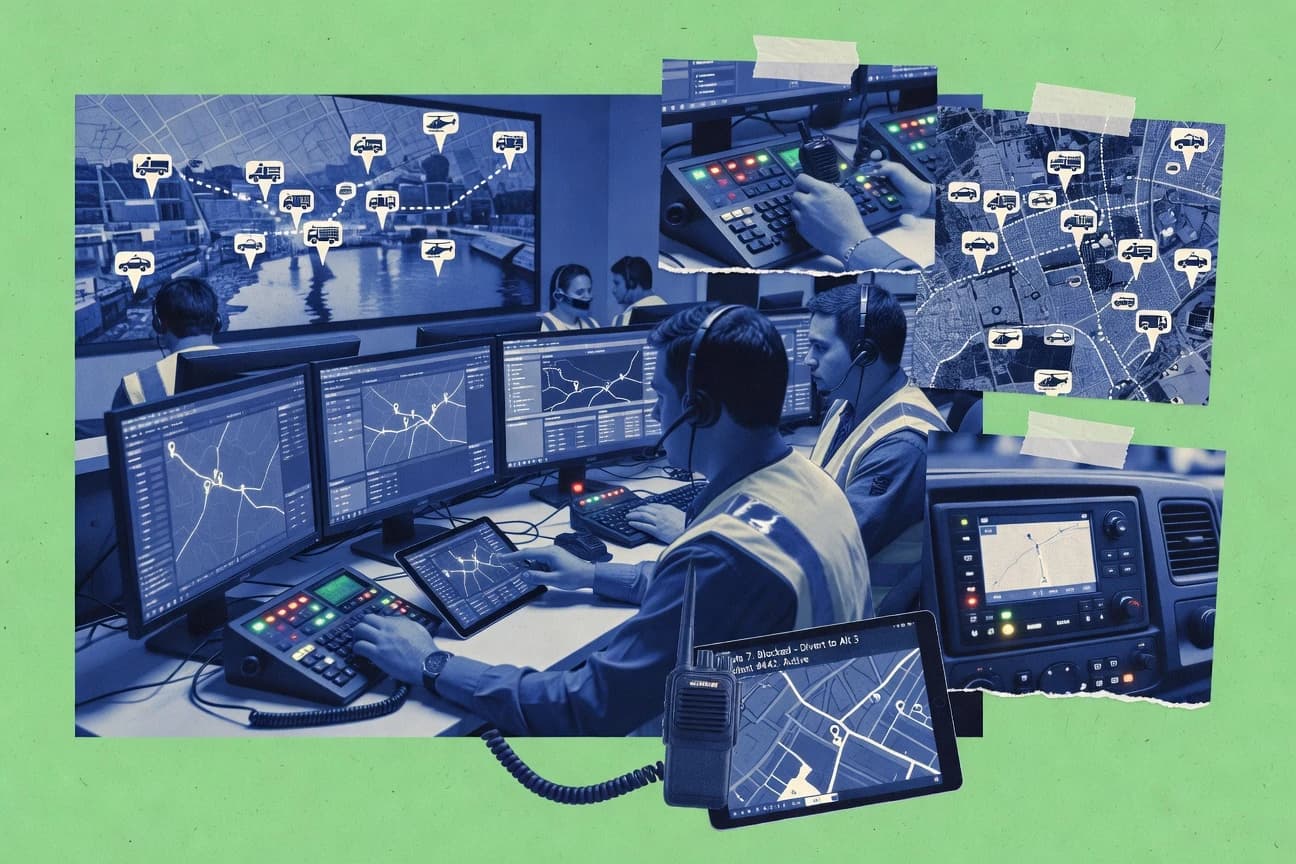
Emergency DisasterTop 10 Best Cad Dispatch Software of 2026
Top 10 cad dispatch software ranked by features and deployment fit. Includes comparisons of EFORCE CAD, OnCall Dispatch, and CODY Systems CAD.

How we ranked these tools
Core product claims cross-referenced against official documentation, changelogs, and independent technical reviews.
Analyzed video reviews and hundreds of written evaluations to capture real-world user experiences with each tool.
AI persona simulations modeled how different user types would experience each tool across common use cases and workflows.
Final rankings reviewed and approved by our editorial team with authority to override AI-generated scores based on domain expertise.
Score: Features 40% · Ease 30% · Value 30%
Gitnux may earn a commission through links on this page — this does not influence rankings. Editorial policy
EFORCE CAD is the best fit if your law-enforcement or public-safety dispatch needs configurable procedures and dependable incident workflows across stations, whereas Hexagon OnCall Dispatch works best when geospatial context and response-plan automation are central to how you dispatch.
Editor’s top 3 picks
Three quick recommendations before you dive into the full comparison below — each one leads on a different dimension.
EFORCE CAD
Rule-driven dispatch protocol handling tied directly to incident workflow, so assignment and prioritization follow configured decision paths.
Built for fits when agencies need configurable dispatch procedures and dependable incident workflow across stations..
Hexagon OnCall Dispatch
Editor pickResponse-plan driven dispatch logic that coordinates unit recommendation and subsequent dispatch actions from incident events.
Built for fits when agencies need CAD dispatch tied to geospatial context and response-plan automation..
CODY Systems CAD
Editor pickIncident status progression ties call intake outcomes to unit recommendations through a consistent dispatch console workflow.
Built for fits when dispatch teams need one CAD console workflow aligned to local SOPs..
Comparison Table
EFORCE CAD
vertical specialistComputer-aided dispatch software for law enforcement and public safety.
Rule-driven dispatch protocol handling tied directly to incident workflow, so assignment and prioritization follow configured decision paths.
EFORCE CAD is built around the dispatch work cycle, including call intake to incident creation, call prioritization, and dispatch queue handling at the dispatcher workstation. Incident data stays accessible during unit recommendation so dispatchers can act without switching tools across multiple screens or applications. EFORCE CAD also supports operational integrations that feed status changes and location context into the dispatch flow.
A practical tradeoff is that deeper automation depends on how response plans and dispatch rules are configured for each agency, so teams need time to map real procedures into the system. EFORCE CAD fits organizations that need consistent incident numbering and repeatable dispatch protocol handling across multiple shifts, especially when call volume stresses dispatcher throughput.
- +Console-driven workflow keeps call intake and dispatch actions in one loop
- +Incident record structure supports consistent handling across shifts
- +Integration pathways support operational status and location-aware decisions
- +Dispatch protocol and assignment logic can be standardized through configuration
- –Rule configuration can require careful governance for agency-wide consistency
- –Advanced workflow outcomes depend on the completeness of agency-specific setup
- –Some automation requires integrating external operational systems and mapping fields
- –Dispatcher performance tuning may be needed for higher throughput environments
Dispatch operations managers
Standardize call triage and unit assignment
Fewer process deviations
911 call handling supervisors
Route high-priority calls into incidents
Faster incident start
Show 2 more scenarios
IT and integrations teams
Sync unit status and operational context
Less manual status checking
Integration points support automated status and data updates that keep dispatch decisions current.
Multi-jurisdiction dispatch units
Coordinate recurring mutual-aid requests
More predictable escalation
Incident records and assignment workflow help apply consistent response procedures across boundaries.
Best for: Fits when agencies need configurable dispatch procedures and dependable incident workflow across stations.
Hexagon OnCall Dispatch
enterpriseDispatch software for emergency response and public safety operations.
Response-plan driven dispatch logic that coordinates unit recommendation and subsequent dispatch actions from incident events.
OnCall Dispatch fits agencies that need CAD console operations tied to location context and disciplined dispatch queue handling. Dispatchers work from the incident and unit status loops while the system tracks events used during call prioritization and subsequent dispatch actions. Configuration focuses on response plan rules and interoperability touchpoints that affect unit recommendations and downstream activity.
A tradeoff appears in deployment dependency on the surrounding Hexagon ecosystem and integrations, because core outcomes depend on connected data sources and field communications. OnCall Dispatch works best when an agency already has consistent GIS or map data, and when dispatch workflows must stay aligned with mobile data terminal behavior and incident records handling.
- +Geospatial context supports fast location-driven incident handling
- +Response plan configuration covers unit recommendation logic for recurring scenarios
- +Incident and unit workflow reduces dispatcher task switching during peak call intake
- +Event history provides clearer after-action review inputs
- –Full value depends on integration readiness with external field and records systems
- –Admin configuration can require specialized expertise to avoid workflow drift
- –Non-standard dispatch variations may take longer to express in response plan rules
- –Operational tuning can be sensitive to data quality in location fields
Dispatch center managers
Standardize response plans across shifts
More consistent dispatch outcomes
911 call handling teams
Rapid incident creation from intake
Faster time to assignment
Show 2 more scenarios
Field operations coordinators
Keep unit status accurate
Lower status confusion
Sync responder state changes with dispatch actions so updates remain current during active incidents.
Regional mutual-aid coordinators
Coordinate multi-agency dispatch workflows
Cleaner mutual-aid handoffs
Use interoperability and incident event history to manage handoffs across responding jurisdictions.
Best for: Fits when agencies need CAD dispatch tied to geospatial context and response-plan automation.
CODY Systems CAD
vertical specialistCAD software for law enforcement and public safety agencies.
Incident status progression ties call intake outcomes to unit recommendations through a consistent dispatch console workflow.
CODY Systems CAD is typically evaluated as a dispatcher workstation system where call intake results in incident records that track status changes through to unit recommendations and ongoing updates. The practical fit comes from concentrating dispatch work into a single operational flow rather than splitting incident handling across multiple tools. This reduces handoff friction when multiple roles work the same incident from intake to clearance. Integration expectations usually center on connecting CAD event output to external systems for operational visibility and downstream records use.
A key tradeoff is that workflow customization often requires careful configuration of call-handling steps and incident attributes to match local dispatch protocols. CAD deployments also need governance around how incident templates, unit statuses, and mapping fields are maintained to prevent inconsistent operational outcomes. CODY Systems CAD fits best when an agency wants a single dispatch workflow surface and then extends it with external integrations only where needed for records, mapping, or communications.
- +Structured incident workflow reduces dispatcher rekeying across call intake
- +Unit status management supports consistent response planning decisions
- +Configuration-first approach lets teams align CAD behavior to dispatch SOPs
- +Audit trail supports investigation of event sequence during incident handling
- –Deeper workflow changes may need disciplined configuration rather than quick tweaks
- –Integration breadth depends on available connectors for external dispatch dependencies
- –Complex environments can require more operational testing of unit states and transitions
911 call handling teams
Transform call notes into incidents
Faster incident readiness
Dispatch operations supervisors
Standardize queue and prioritization rules
More consistent outcomes
Show 2 more scenarios
Multi-unit response planners
Maintain unit state and allocation decisions
Reduced response delays
Operators manage unit status transitions to support timely resource allocation and reassignment.
Agencies integrating CAD downstream
Send operational event updates outward
Better downstream visibility
External systems can consume CAD-produced incident events for records and operational reporting workflows.
Best for: Fits when dispatch teams need one CAD console workflow aligned to local SOPs.
Omnigo CAD
vertical specialistComputer-aided dispatch software for public safety organizations.
Response-plan driven dispatch decisions connect incident records to recommended resource actions within the dispatcher workflow.
Omnigo CAD is a computer-aided dispatch system focused on incident creation and dispatcher call-taking workflows on a console workflow. It supports dispatch operations like unit status management, dispatch queue handling, and response-plan driven routing decisions.
It also connects dispatch work to external data and communications through configuration options for integrations used by regional agencies. Admin control is oriented around operational governance for dispatch processes rather than building custom dispatch logic from scratch.
- +Incident creation workflow maps closely to call-taking and triage steps
- +Unit status and dispatch queue flows reduce handoff friction between consoles
- +Integration-oriented configuration supports external system connectivity
- +Operational governance features fit ongoing dispatcher administration
- –API extensibility depth and automation coverage are narrower than customization-first CADs
- –Requires deliberate configuration for consistent call prioritization behavior
- –Advanced interoperability features may depend on external add-ons
- –Complex multi-agency workflows can take more admin tuning than expected
Best for: Fits when agencies need a CAD console workflow with strong day-to-day dispatch operations and controlled administration.
CentralSquare CAD
enterpriseComputer-aided dispatch software for public safety agencies.
Response-plan recommendations tied to incident context for dispatcher unit selection and priority alignment.
CentralSquare CAD creates incidents from incoming call-taking workflows and routes them to a dispatch queue with unit status updates. It adds GIS-assisted incident location handling and supports CAD-to-CAD interoperability for mutual-aid and agency-to-agency workflows.
The system’s configuration supports dispatch policies, response-plan driven recommendations, and audit trails for operational accountability. Its integration surface is strongest when CentralSquare ecosystems for records and communications are already in place, since many automation paths depend on shared data exchange.
- +Response-plan driven unit recommendations reduce manual selection time
- +CAD-to-CAD interoperability supports mutual-aid incident flow
- +GIS-assisted location handling improves incident precision at intake
- +Audit trails document who changed what during incident lifecycle
- –Automation depth depends on how well upstream data feeds are configured
- –Dispatcher workstation configuration can require careful governance across roles
Best for: Fits when agencies want response-plan recommendations and interoperability for multi-agency dispatch workflows with strong operational logging.
Tyler Technologies Enterprise CAD
enterpriseComputer-aided dispatch software for public safety operations.
Enterprise CAD’s incident data linkage from call intake through dispatch operations into downstream records workflows reduces duplicate data entry.
Tyler Technologies Enterprise CAD is positioned for public-safety dispatch organizations that need tight integration with agency back-office systems and interoperable incident workflows. The software centers on call intake to incident creation, dispatch queue handling, and unit status and assignment management within dispatcher workstation workflows.
Enterprise CAD is also designed to fit into wider Tyler ecosystems where records management, reporting, and cross-system integrations can be coordinated around dispatch events. Its differentiation for CAD dispatch teams comes from how incident data flows from call handling into downstream operational and documentation processes.
- +Incident workflow ties call intake to dispatch assignments across dispatch and documentation steps
- +Strong integration fit with Tyler back-office systems for incident-linked records handling
- +Supports interoperability patterns used by multi-agency environments through shared incident concepts
- +Admin tools support dispatcher authorization and controlled access to operational screens
- –Workflow configuration and interoperability depend on deployment integration choices and governance discipline
- –Dispatcher screen tuning can require change management to keep call-taking throughput consistent
Best for: Fits when agencies need CAD-to-records event flow with governed permissions and multi-system dispatch integrations.
Southern Software CAD
vertical specialistComputer-aided dispatch software for public safety agencies.
Dispatch workflow configuration ties incident lifecycle steps to dispatcher console actions for consistent handling across operators.
Southern Software CAD is built around computer-aided dispatch workflows for call-taking, incident creation, and dispatcher console operations. It is positioned for public-safety teams that need incident tracking tied to field response activity and ongoing unit status management.
The product also supports automation around dispatch processes and operational configuration for consistent call prioritization and response handling. Its differentiation for dispatch teams comes from how core CAD events map into operational actions that can be governed by supervisors and controlled through administrative settings.
- +CAD workflow maps call intake to incident and unit actions
- +Dispatch console layout supports high-throughput dispatcher operations
- +Operational configuration supports repeatable call handling procedures
- +Administrative settings support supervision across dispatcher roles
- –Integration depth for GIS, radio, and mobile data depends on specific add-ons
- –Automation coverage can require careful configuration to match local SOPs
Best for: Fits when dispatch centers need a configurable CAD console workflow for incident and unit management without extensive custom development.
Versaterm CAD
enterpriseComputer-aided dispatch software for public safety agencies.
Incident event management that ties call intake steps to unit recommendations and downstream dispatch actions within a single incident timeline.
Versaterm CAD targets computer-aided dispatch for emergency call intake, incident creation, and dispatcher workstation operations. The system focuses on call-taking workflows and dispatch queue management, with support for unit status and resource allocation tied to incident events.
Versaterm CAD is built for agency environments where integration with radio dispatch, mobile data terminals, and records systems is a core requirement. Automation features support recurring dispatch processes, while audit trail capabilities track operational changes across incidents.
- +Strong incident lifecycle workflows from call intake through unit assignment
- +Dispatch queue and unit status management designed for high-tempo call handling
- +Audit trail supports operational review of changes across incident records
- +Integration paths for radio dispatch, MDT, and records workflows
- –Requires setup discipline to align workflows with local dispatch policies
- –Automation depth depends on configuration and agency-specific process mapping
Best for: Fits when agencies need structured dispatcher workflows, unit status control, and incident-level auditability.
ProPhoenix CAD
vertical specialistCAD software for law enforcement and public safety dispatch.
Queue-driven call intake workflow that links incident creation to live dispatch actions without screen-to-screen handoffs.
ProPhoenix CAD runs call-taking workflows that create incidents, prioritize calls, and recommend unit assignments inside a dispatch queue used by the CAD console and dispatcher workstation. ProPhoenix CAD supports dispatch operations that coordinate radio and field activity through unit status management and incident updates.
ProPhoenix CAD is geared toward agency operations that need consistent dispatch protocol execution and record-linked incident handling rather than ad-hoc screen workflows. Integration depth centers on connecting CAD events to external systems used by dispatch and incident lifecycle operations.
- +Dispatch queue workflow keeps call intake, prioritization, and incident updates in one sequence
- +Unit status management supports consistent resource allocation during active incident handling
- +Incident creation and numbering supports operational consistency across call-taking sessions
- +Extensibility for system integration helps connect CAD events to external operational tooling
- –Advanced automation depends on configuration work to match local dispatch protocol
- –Custom integrations can require engineering time to maintain end-to-end event mapping
Best for: Fits when agencies need queue-driven dispatch workflows with unit status control and external system integrations.
Enforsys CAD
vertical specialistCAD software for public safety and law enforcement agencies.
Configurable call-to-incident workflow design that ties dispatch queue steps to operational system integrations.
Enforsys CAD is positioned for computer-aided dispatch environments that need a tighter fit between incident workflows and downstream operational systems. The platform focuses on call intake to incident creation, dispatch queue handling, and unit recommendation workflows used by dispatch centers.
Stronger differentiation appears in how the product is implemented around integration with geospatial data and communications workflows, plus workflow configuration for dispatch operations. For teams that need automation depth and an integration-first deployment model, Enforsys CAD targets those requirements more directly than general-purpose call logging tools.
- +Incident workflow configuration supports dispatch queue and unit recommendation steps
- +Integration focus reduces friction between CAD records and external operational systems
- +Geospatial capability supports location-based dispatch decisions for field response
- +Auditability of operational changes supports governance for dispatcher actions
- –Workflow setup requires process mapping and governance discipline
- –Advanced interoperability depends on project-level integration scope
Best for: Fits when dispatch centers need incident workflows mapped to integrations with location data and operational systems.
Conclusion
After evaluating 10 emergency disaster, EFORCE CAD stands out as our overall top pick — it scored highest across our combined criteria of features, ease of use, and value, which is why it sits at #1 in the rankings above.
Use the comparison table and detailed reviews above to validate the fit against your own requirements before committing to a tool.
How to Choose the Right cad dispatch software
CAD dispatch software coordinates call intake, incident creation, prioritization, and dispatch actions from a dispatcher workstation into governed operational workflows. This buyer’s guide covers EFORCE CAD, Hexagon OnCall Dispatch, CODY Systems CAD, Omnigo CAD, CentralSquare CAD, Tyler Technologies Enterprise CAD, Southern Software CAD, Versaterm CAD, ProPhoenix CAD, and Enforsys CAD.
Each tool card emphasizes different workflow mechanics, from rule-driven dispatch protocol logic in EFORCE CAD to response-plan driven unit recommendation in Hexagon OnCall Dispatch. Subsequent sections focus on integration depth, automation and API surface, and admin governance controls where each product’s workflow model supports those capabilities.
What CAD dispatch software does across the call intake to unit assignment workflow
CAD dispatch software manages emergency call intake through incident creation, call prioritization, unit recommendation, and dispatch queue actions inside the dispatcher console. It also keeps unit status management and incident record updates aligned across dispatch and downstream documentation workflows.
EFORCE CAD ties configured decision paths to incident workflow so assignment and prioritization follow rule-driven dispatch protocol handling. Hexagon OnCall Dispatch links incident events to response-plan automation so unit recommendation and subsequent dispatch actions run from geospatial and incident context.
Core evaluation criteria for CAD dispatch workflow control
CAD dispatch software has to turn call intake outcomes into incident workflow steps that drive unit recommendation and dispatch queue actions without dispatcher rekeying. The winning products align console actions, incident record structure, and dispatch decisions so call-taking throughput stays stable while governance remains consistent across shifts.
The category separates itself by how deeply the workflow model connects decision logic, queue sequencing, and downstream event handling. EFORCE CAD uses rule-driven dispatch protocol handling tied directly to incident workflow, while Hexagon OnCall Dispatch ties unit recommendation and dispatch actions to response-plan automation driven by incident events and geospatial context.
Rule-driven vs response-plan decision paths
EFORCE CAD ties configured decision paths directly to incident workflow so assignment and prioritization follow rule-driven dispatch protocol handling. Hexagon OnCall Dispatch bases dispatcher recommendations on response-plan automation that runs from incident events and geospatial context.
Incident-to-unit lifecycle consistency inside the console
CODY Systems CAD links incident status progression to call intake outcomes and unit recommendations through a consistent dispatch console workflow. Versaterm CAD ties incident event management from call intake through unit assignment and dispatch actions inside a single incident timeline.
Queue-driven call intake without screen-to-screen handoffs
ProPhoenix CAD uses a dispatch queue call intake workflow that links incident creation to live dispatch actions without screen-to-screen handoffs. Southern Software CAD maps call intake to incident and unit actions through a configurable CAD console workflow designed for high-tempo operations.
Dispatch queue and unit status management mechanics
Omnigo CAD connects dispatcher workflow to unit status and dispatch queue flows that reduce handoff friction between consoles. EFORCE CAD keeps console-driven workflow aligned with incident record structure so unit recommendations remain consistent across shifts.
Integration depth for records and operational downstream steps
Tyler Technologies Enterprise CAD links incident data from call intake through dispatch operations into downstream records workflows to reduce duplicate data entry. Enforsys CAD focuses its incident workflow configuration on dispatch queue steps mapped to operational system integrations tied to location data.
Admin configuration governance and workflow drift control
EFORCE CAD requires careful rule configuration governance to keep agency-wide consistency when decision logic is changed. Hexagon OnCall Dispatch requires admin configuration expertise to avoid workflow drift when integrations with external field and records systems are not ready.
Choose CAD dispatch software by workflow model, then by integration and governance
The first split should reflect how decision logic should be authored and executed. Some systems run dispatch procedure logic from configured decision paths tied to the incident workflow, while others compute unit recommendation from response-plan logic that reacts to incident events.
The second split should reflect where the system must automate data movement. Some tools connect dispatch actions into downstream records handling within the same governed incident workflow, while others emphasize workflow configuration mapped to integration touchpoints such as location data and operational systems.
Pick the decision-logic authoring style
Select EFORCE CAD if the dispatch center needs rule-driven dispatch protocol handling where assignment and prioritization follow configured decision paths tied to incident workflow. Select Hexagon OnCall Dispatch if unit recommendation and dispatch actions should run from response-plan automation that coordinates unit recommendation from incident events.
Match queue and console flow to dispatcher operating cadence
Choose ProPhoenix CAD when dispatch work should be driven by a queue-driven call intake workflow that keeps incident creation and live dispatch actions in one sequence. Choose Southern Software CAD when a configurable CAD console layout is needed to support high-throughput call intake mapped to incident and unit actions.
Verify incident lifecycle consistency in the console workflow
Pick CODY Systems CAD when consistent dispatch console workflow should connect incident status progression to call intake outcomes and unit recommendations. Choose Omnigo CAD when reduced handoff friction between consoles depends on unit status and dispatch queue flow behavior within day-to-day dispatch operations.
Confirm integration depth aligns with dispatch-to-records expectations
Select Tyler Technologies Enterprise CAD when incident data linkage across call intake, dispatch operations, and downstream records workflows must reduce duplicate data entry. Select Enforsys CAD when incident workflow configuration should map dispatch queue steps to operational system integrations tied to location data.
Plan for governance load based on configuration complexity
If agency-wide consistency is non-negotiable and rule changes require tight control, choose EFORCE CAD and plan for governance discipline around rule configuration. If workflow drift risk is a concern due to complex admin configuration, choose Hexagon OnCall Dispatch only when integration readiness with external field and records systems is established.
Who should buy CAD dispatch software based on workflow and integration needs
Agencies with multiple stations and changing dispatch procedures need a console workflow that keeps incident record structure consistent across shifts. Teams that depend on response-plan automation need geospatial context and incident-event driven recommendation behavior built into the dispatch workflow.
Organizations that require dispatch actions to propagate into records handling need an incident-to-records linkage model that reduces duplicate entry and preserves governed permissions. Centers that operate with queue-driven call intake need a single sequence that keeps prioritization and incident updates tied to unit status management.
Agencies standardizing dispatch procedures across stations
EFORCE CAD fits when configurable dispatch procedures must translate into dependable incident workflow and consistent assignment and prioritization behavior across shifts.
Dispatch centers using response plans and geospatial context to drive recommendations
Hexagon OnCall Dispatch fits when response-plan driven dispatch logic must coordinate unit recommendation and subsequent dispatch actions from incident events tied to geospatial context.
Centers that want queue-driven incident handling in one dispatcher sequence
ProPhoenix CAD fits when call intake, prioritization, incident creation, and live dispatch actions should remain in one dispatch queue workflow without screen-to-screen handoffs.
Organizations integrating CAD dispatch with records workflows to minimize rekeying
Tyler Technologies Enterprise CAD fits when incident data linkage from call intake through dispatch operations into downstream records workflows must reduce duplicate data entry.
Dispatch operations that need disciplined console configuration aligned to SOPs
Southern Software CAD fits when a configurable CAD console workflow should map incident and unit actions to dispatcher steps without requiring extensive custom development.
Common CAD dispatch software pitfalls that derail deployment
Many failures come from treating configuration as a quick tweak instead of a governance problem. When dispatch logic, queue behavior, and unit status management are not aligned to local SOPs, dispatchers end up correcting outcomes through manual steps, which breaks throughput and consistency.
Another failure pattern is assuming integration readiness exists before workflow design is finalized. Tools that depend on integration touchpoints for GIS, external field systems, records, or operational systems can deliver weaker automation if upstream feeds are incomplete or configuration is missing.
Treating rule changes as tactical edits instead of agency-wide governance
EFORCE CAD requires careful governance for agency-wide consistency because rule configuration directly drives assignment and prioritization behavior tied to the incident workflow.
Skipping integration readiness checks that gate response-plan automation value
Hexagon OnCall Dispatch delivers full value only when integration readiness with external field and records systems supports the response-plan driven unit recommendation workflow.
Assuming queue-driven call intake behavior will match existing dispatcher screen habits
ProPhoenix CAD keeps call intake, prioritization, and incident updates in one sequence via dispatch queue workflow, which can require process adjustment if current operations rely on screen-to-screen handoffs.
Underestimating the configuration work required to align incident lifecycle to local SOPs
CODY Systems CAD and Southern Software CAD both depend on disciplined configuration for workflow changes, so deeper workflow changes need planning instead of quick tweaks.
How We Selected and Ranked These Tools
We evaluated CAD dispatch software across workflow mechanics that connect emergency call intake to incident creation, call prioritization, unit recommendation, and dispatch queue actions inside the dispatcher console. We weighted features at 40% by checking whether rule-driven dispatch protocol handling or response-plan automation directly drives dispatcher outcomes.
We weighted ease and value at 30% each by mapping how console-driven incident workflow consistency reduces dispatcher rekeying and how integration readiness affects automation coverage. We ranked EFORCE CAD highest because its rule-driven dispatch protocol handling ties configured decision paths directly to incident workflow so assignment and prioritization stay consistent across stations and shifts.
Frequently Asked Questions About cad dispatch software
How do EFORCE CAD and ProPhoenix CAD handle call intake to incident creation without manual handoffs?
Which CAD systems support response-plan-driven unit recommendation during dispatch queue handling?
What breaks if a CAD deployment cannot map GIS-assisted locations into incident records for dispatch decisions?
How do Tyler Technologies Enterprise CAD and Versaterm CAD integrate CAD events into back-office systems?
What admin controls exist in CODY Systems CAD versus Southern Software CAD for shaping dispatcher call-taking workflows?
How does Enforsys CAD handle integrations with geospatial and communications workflows compared with Hexagon OnCall Dispatch?
When agencies need audit trail coverage for incident timeline changes, which CAD systems provide event history tracking?
Which tools are designed for CAD-to-CAD interoperability for mutual-aid dispatch and agency-to-agency workflows?
How do RBAC-style governance and provisioning concepts map to controller workflows in these CAD platforms?
Tools reviewed
Primary sources checked during evaluation.
Referenced in the comparison table and product reviews above.
- Emergency DisasterTop 10 Best 911 Cad Software of 2026
- Emergency DisasterTop 10 Best Ambulance Dispatch Software of 2026
- Transportation LogisticsTop 10 Best Computer Assisted Dispatch Software of 2026
- Emergency DisasterTop 10 Best Fire Dispatch Software of 2026
- Construction InfrastructureTop 10 Best Electrical Dispatch Software of 2026
Keep exploring
Comparing two specific tools?
Software Alternatives
See head-to-head software comparisons with feature breakdowns, pricing, and our recommendation for each use case.
Explore software alternatives→In this category
Emergency Disaster alternatives
See side-by-side comparisons of emergency disaster tools and pick the right one for your stack.
Compare emergency disaster tools→