
GITNUXSOFTWARE ADVICE
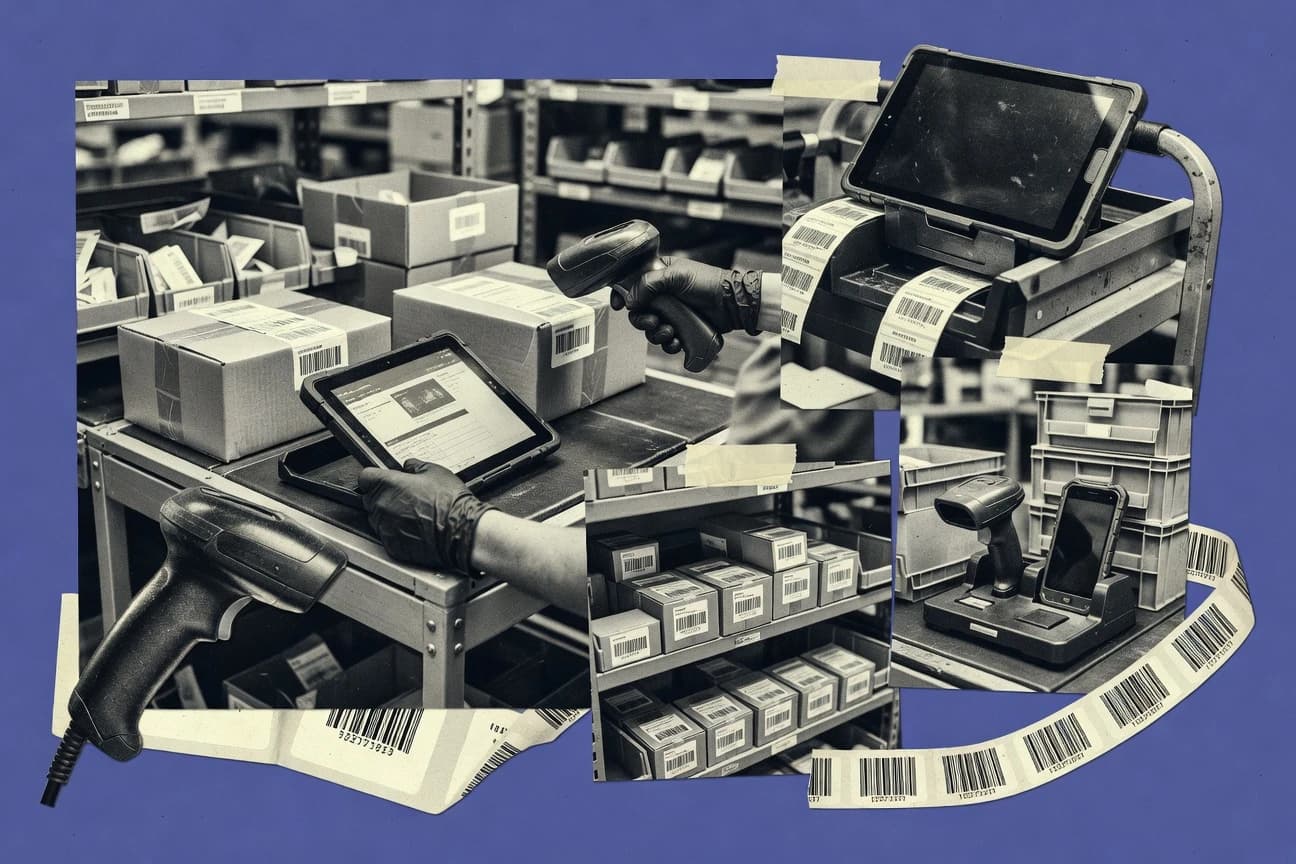
Business FinanceTop 10 Best Barcoding Inventory Management Software of 2026
Top 10 barcoding inventory management software ranked by features and fit, with comparisons covering Megaventory, Linnworks, and Unleashed Software.

How we ranked these tools
Core product claims cross-referenced against official documentation, changelogs, and independent technical reviews.
Analyzed video reviews and hundreds of written evaluations to capture real-world user experiences with each tool.
AI persona simulations modeled how different user types would experience each tool across common use cases and workflows.
Final rankings reviewed and approved by our editorial team with authority to override AI-generated scores based on domain expertise.
Score: Features 40% · Ease 30% · Value 30%
Gitnux may earn a commission through links on this page — this does not influence rankings. Editorial policy
Megaventory is the best pick for barcode-led inventory execution in multi-location teams that need scan-driven stock moves plus operational system integration, whereas Linnworks suits multi-channel retailers wanting barcode-controlled movements tied directly to fulfillment workflows.
Editor’s top 3 picks
Three quick recommendations before you dive into the full comparison below — each one leads on a different dimension.
Megaventory
Label design to print flow that ties barcode output into warehouse stock movement execution.
Built for fits when multi-location teams need scan-led inventory execution plus integration to operational systems..
Linnworks
Editor pickRule-based workflow configuration that keeps inventory, order states, and fulfillment steps aligned across integrations.
Built for fits when multi-channel retailers need barcode-controlled stock movements tied to fulfillment workflows..
Unleashed Software
Editor pickScanning is integrated into stock movement records for receiving, putaway, and adjustments tied to locations.
Built for fits when multi-warehouse teams need scanning-led receiving, putaway, and reconciliation with consistent inventory events..
Comparison Table
Megaventory
SMBCloud inventory management with barcode scanning and multi-location stock tracking.
Label design to print flow that ties barcode output into warehouse stock movement execution.
Megaventory drives day-to-day execution through scan-first processes for receiving, putaway, and inventory adjustments, which reduces reliance on manual entry. Barcode label design and printing support feed directly into those workflows, so warehouse staff can apply consistent codes to bins and items. Integration options connect inventory changes to external systems, which matters when orders, purchasing, and fulfillment depend on accurate on-hand.
A tradeoff is that deeper automation and governance require disciplined configuration of item data, locations, and barcode mappings before teams scale scanning. It fits best when a warehouse already runs scanning routines and needs tighter control over stock movements across locations with predictable downstream updates.
- +Scan-driven receiving and putaway workflows reduce manual stock entry errors
- +Barcode label design and print output support consistent warehouse labeling
- +Inventory adjustments follow an execution workflow tied to recorded stock movements
- +ERP integration keeps on-hand quantities aligned with operational systems
- –Label-to-item mapping needs careful setup for multi-location barcode variations
- –More complex automation requires structured configuration effort before rollout
- –Some advanced reporting depends on how item attributes and movements are modeled
- –Handheld scanning workflows can require warehouse process tuning to fit
Operations and warehouse teams
Putaway scanning with location labeling
Faster location-level accuracy checks
Supply chain planners
Stocktake reconciliation across warehouses
Cleaner reconciliation with audit trails
Show 2 more scenarios
ERP integration owners
Keep orders synced with inventory
Fewer oversells and backorders
Integrations push inventory changes so sales and procurement systems reflect current availability.
Retail replenishment teams
Receiving to inventory availability
More reliable replenishment triggers
Barcode-led receiving captures stock movements that flow into availability used for replenishment planning.
Best for: Fits when multi-location teams need scan-led inventory execution plus integration to operational systems.
Linnworks
enterpriseMultichannel inventory and order management with warehouse barcode scanning.
Rule-based workflow configuration that keeps inventory, order states, and fulfillment steps aligned across integrations.
For barcode inventory management, Linnworks supports scanning-driven warehouse operations and helps maintain item, stock, and fulfillment states through connected workflows. Integration depth is a key theme, since channel orders and ERP-style inventory updates can flow in and out without manual reconciliation steps. Automation is handled through configurable rules for common handling tasks like receiving, picking, and packing workflows.
A tradeoff is that Linnworks is best when standard product and location structures are defined early, because warehouse behavior depends on those configurations. Teams with stable SKUs and consistent barcode labeling benefit most when they want fewer handoffs between inventory, shipping, and channel order fulfillment. Sites with highly custom operational logic may need additional configuration work to match every edge case in daily operations.
- +Automation rules cover receiving-to-shipment workflow steps
- +Inventory and order updates stay consistent across connected channels
- +Barcode-driven warehouse processes reduce manual stock corrections
- +Integration options support bidirectional sync patterns
- –Operational behavior depends on up-front warehouse structure setup
- –Advanced edge-case workflows can require deeper configuration knowledge
- –Labeling workflows can be time-consuming to standardize across sites
- –Some automation scenarios may depend on integration-side mapping
Retail operations teams
Scan receiving then fulfill channel orders
Fewer stock-out errors
3PL warehouse managers
Standardize picking and packing steps
Higher picking throughput
Show 2 more scenarios
E-commerce inventory owners
Sync stock changes across sales channels
More accurate availability
Inventory adjustments propagate through integrations to keep channel availability aligned with warehouse reality.
Wholesale SKU admins
Maintain barcode-driven item mappings
Lower mis-ship rates
Item and barcode associations help ensure consistent fulfillment behavior across incoming orders.
Best for: Fits when multi-channel retailers need barcode-controlled stock movements tied to fulfillment workflows.
Unleashed Software
SMBInventory management with barcode scanning, batch tracking, and supplier management.
Scanning is integrated into stock movement records for receiving, putaway, and adjustments tied to locations.
Unleashed Software ties barcoded actions to inventory state changes, so scanning is not just label printing but a trigger for stock movement records tied to locations and transactions. Receiving and putaway flows can use handheld scanning to reduce transcription errors during inbound and warehouse moves. Inventory adjustment workflows and stocktake processes support reconciliation so discrepancies can be tracked to specific events.
A tradeoff appears in implementation effort, because location strategy, item setup, and workflow definitions must match the way warehouses operate. The best fit is a multi-warehouse team that already manages reorder points and stock movement discipline and wants barcode scanning to drive accuracy improvements.
- +Barcode scanning drives stock movements tied to locations and transactions
- +Stocktake and adjustment workflows keep reconciliation linked to events
- +Product and inventory setup supports recurring receiving and putaway cycles
- +Handheld scanning supports faster warehouse execution than manual entry
- –Workflow behavior depends on accurate item and location configuration
- –Complex warehouse rules can require more admin effort than basic scans
- –Barcode label processes are constrained by the labeling approach used
- –Advanced automation often needs process design rather than defaults
Warehouse ops managers
Scanner-led receiving and putaway
Fewer receiving errors
Inventory control teams
Stocktake reconciliation with adjustments
Clear discrepancy ownership
Show 1 more scenario
Multi-site operations leads
Consistent inventory across locations
Better location-level visibility
Location-based inventory movements keep cross-warehouse stock visible during daily transactions.
Best for: Fits when multi-warehouse teams need scanning-led receiving, putaway, and reconciliation with consistent inventory events.
inFlow Inventory
SMBInventory and order management with barcode scanning across desktop, web, and mobile.
Scan-to-movement execution that ties receiving, putaway, and adjustments to an event trail for faster stock troubleshooting.
inFlow Inventory centers on barcode-first inventory workflows for receiving, putaway, and count activities that can run from mobile scanning. The system tracks items, locations, and adjustments with audit-oriented movement history tied to scan events.
Label printing and item identification support reduce manual data entry during warehouse operations. InFlow also focuses on practical integrations for keeping ERP and ordering signals aligned with on-hand quantities.
- +Scan-driven receiving and putaway flows reduce transcription errors
- +Location and bin labeling supports structured warehouse layouts
- +Inventory adjustment workflow keeps stock changes traceable to events
- +Thermal label printing options fit common warehouse hardware setups
- –Advanced governance controls like granular RBAC can be limited for larger teams
- –Complex multi-entity catalog needs careful item and location modeling
- –Automation depth depends on integration coverage for external systems
- –Very high-throughput scanning batches may require workflow tuning
Best for: Fits when warehouses need barcode scanning for stock moves, counts, and label printing without heavy WMS customization.
Fishbowl
SMBInventory manufacturing and warehouse management with barcode scanning and QuickBooks sync.
Built-in transaction workflows that enforce inventory movement rules during receiving, picking, and inventory counts.
Fishbowl manages inventory with barcode-driven receiving, picking, and cycle counting workflows tied to item, lot, and location records. It supports warehouse operations that require scanning at putaway, then reconciling stock through adjustments and count results.
The system also connects inventory behavior to order fulfillment and purchasing processes, which reduces manual status syncing. Fishbowl’s value is strongest when inventory events must consistently update across warehouse execution and back-office documents.
- +Scanner-based receiving and putaway tied to item and location records
- +Lot and serial workflows support traceability through adjustments
- +Inventory counts drive reconciliation instead of leaving results in spreadsheets
- +Order and inventory status updates reduce manual re-keying
- –Bin and location setup requires careful governance before scale-out
- –Extending workflows beyond standard transactions can require vendor guidance
- –Mobile scanning UX depends heavily on configuration and permissions
- –Reporting customization can be slower than exporting structured transaction data
Best for: Fits when warehouses need barcode workflows that update orders, purchasing, and traceability.
Cin7
enterpriseInventory and order management platform with barcode scanning and POS integrations.
Cycle counting tied to location and SKU status, with reconciliation workflows that map directly to scan-based physical counts.
Cin7 is designed for barcode-led inventory control across multi-location operations, with receiving, replenishment, and stock movement tied to scan events. Core workflows center on stock records by location, order-linked fulfillment, cycle counting, and inventory adjustment routines that keep physical counts aligned to system quantities.
Barcode support covers common retail and logistics symbologies, and label printing is built to support warehouse scanning and bin or location workflows. Integration with commerce and ERP ecosystems supports ongoing synchronization of item master data and inventory status across connected channels.
- +Strong order-linked inventory movements driven by scan workflows
- +Multi-location stock handling supports bin and location scanning patterns
- +Label printing supports warehouse workflows for ID-based receiving and picking
- +Integrations reduce manual updates by syncing item and inventory states
- –Advanced inventory workflows require deliberate setup of locations and item tracking rules
- –Mobile barcode workflows can feel restrictive compared with custom WMS scanning screens
- –API surface and automation tooling are less granular than workflow-first WMS products
- –Audit and governance controls may be thinner for high-compliance environments
Best for: Fits when mid-market warehouses need barcode-driven inventory accuracy across multiple locations and connected commerce.
Zoho Inventory
SMBCloud inventory management with barcode generation, scanning, and multi-channel selling.
Zoho Inventory barcoding plus print and scan task flow ties into Zoho Order and shipping processes for fewer item handoffs.
Zoho Inventory is a barcoding inventory management tool built to connect item data, warehouses, and sales documents inside the Zoho ecosystem. It supports barcode label scanning workflows for receiving, stock movements, and counting while maintaining per-item attributes such as lot and serial details.
Built-in print and scan operations are designed to reduce manual entry during warehouse tasks. Administration options for users, roles, and organization-wide settings align it with teams that already run other Zoho apps.
- +Tight coupling with Zoho apps for orders, shipping, and inventory synchronization
- +Scanning workflows support receiving, stock transfers, and cycle counting operations
- +Barcode label printing reduces manual label creation for warehouse use
- +API and automation hooks support item, stock, and document updates from external systems
- –Advanced warehouse execution depends on configuration choices in locations and workflows
- –Lot and serial workflows require disciplined data capture at each scanned event
- –Complex multi-warehouse routing can need process tuning to match real receiving flows
- –Extensibility is available but deeper WMS parity depends on integration scope
Best for: Fits when teams run Zoho for sales and shipping and want barcode scanning in warehouse workflows.
Finale Inventory
SMBCloud inventory management with barcode scanning, lot tracking, and multi-warehouse support.
Transaction history tied to scan events with location-aware inventory movements for traceable receiving, counting, and adjustments.
Finale Inventory is a barcode-first inventory management system built around scanning workflows, item master maintenance, and movement tracking. It supports receipt, putaway, picking, and cycle counting flows with mobile-friendly barcode capture patterns.
Label printing and location-based organization are central to day-to-day warehouse operations. Administration focuses on controlling access to inventory actions and keeping transactions auditable.
- +End-to-end scanning workflows for receiving, putaway, and counting
- +Location and bin organization supports faster handheld movement verification
- +Label printing tied to item and inventory status reduces manual transcription
- +Inventory adjustment workflow keeps transaction history tied to scanned events
- –Warehouse automation depth can feel limited versus full warehouse management systems
- –Advanced rule-based validation needs careful configuration of item and location settings
- –API and integration documentation depth is a constraint for complex ERP synchronization
- –Multi-entity governance for larger orgs may require process discipline
Best for: Fits when a mid-size operation needs scanning-driven inventory control with practical label printing and location tracking.
Wasp Inventory Control
SMBBarcode-driven inventory tracking system designed for SMBs with mobile scanning hardware bundles.
Scan-driven inventory adjustments tied to bin and location records, so reconciliation reflects where stock actually sits.
Wasp Inventory Control manages barcode-driven inventory transactions with support for scanning workflows across receiving, putaway, and stock movement. It focuses on maintaining item location accuracy and supports cycle counting workflows to reconcile on-hand quantities.
The system organizes warehouse data around products, locations, and barcode labels so teams can track movements at scan time rather than by manual entry. Barcode printing and label-related workflows are integrated into the inventory process to reduce disconnects between count records and physical tags.
- +Barcode-first receiving and stock movements reduce manual inventory entry errors
- +Location-based workflows support scan-driven putaway tracking
- +Cycle counting supports reconciliation against current on-hand quantities
- +Integrated label-oriented workflows help keep count records aligned with tags
- –Advanced workflow automation beyond standard scan flows is limited
- –Integration depth with ERPs and WMS tools is not clearly exposed through API documentation
- –Role separation and governance controls are not detailed enough for enterprise auditing needs
- –Complex serialization and GS1 application identifier coverage is not clearly defined
Best for: Fits when warehouse teams need scan-based receiving, location tracking, and cycle counts with label workflows.
ASAP Systems Barcloud
SMBCloud and on-premise barcode inventory and asset tracking with mobile scanner support.
Event-linked inventory history that ties scanner transactions to specific operators, items, and storage locations.
ASAP Systems Barcloud is a barcode inventory management system focused on scanner-driven warehouse workflows and label printing tied to day-to-day stock control. It supports receiving, putaway scanning, inventory adjustments, and cycle counting so teams can keep stock position and quantities aligned to what scanners capture.
Inventory accuracy reporting is built around logged events from mobile sessions rather than spreadsheet reconciliations. The system is designed to integrate into existing warehouse and back-office processes via import, export, and API-style connectivity options.
- +Scanner-centric workflows reduce manual keying for receiving and putaway
- +Barcode label generation supports consistent bin and location labeling
- +Inventory adjustment records link operator actions to stock changes
- +Cycle counting captures variance data tied to specific stock locations
- –Advanced lot and expiry controls require careful item setup
- –Integration depth depends on how the ERP and warehouse data model align
- –Complex edge workflows can take time to configure and test
- –Batch and serial workflows can add overhead on busy receiving lanes
Best for: Fits when warehouses need mobile scanning workflows, location labeling, and audit-friendly inventory change trails.
Conclusion
After evaluating 10 business finance, Megaventory stands out as our overall top pick — it scored highest across our combined criteria of features, ease of use, and value, which is why it sits at #1 in the rankings above.
Use the comparison table and detailed reviews above to validate the fit against your own requirements before committing to a tool.
How to Choose the Right barcoding inventory management software
This buyer's guide covers barcoding inventory management software tools built for scanner-led receiving, putaway, picking, and inventory reconciliation using barcode label printing and event-linked inventory movements. It references Megaventory, Linnworks, Unleashed Software, inFlow Inventory, Fishbowl, Cin7, Zoho Inventory, Finale Inventory, Wasp Inventory Control, and ASAP Systems Barcloud.
The guide explains what these tools do in warehouse workflows, how to evaluate integration and automation controls, and where governance gaps commonly appear. It also gives decision steps mapped to multi-location, multi-channel, or compliance-heavy warehouse operating models.
Barcode-led inventory execution with scan-triggered stock movements and labeled locations
Barcoding inventory management software connects item and storage records to handheld or desktop scanning workflows so receiving, putaway, cycle counting, and inventory adjustments happen from recorded scan events. These systems reduce manual transcription by tying inventory movement history to what operators scanned and where the stock is stored.
Tools like Megaventory and Unleashed Software represent this category by linking scanning actions to stock movement execution and then supporting consistent barcode label printing for warehouse use. Typical users include warehouses and inventory-heavy operations that need faster execution, clearer traceability across transactions, and tighter alignment between on-hand quantities and operational systems.
Evaluation points that change warehouse outcomes, not just screen layouts
The right tool depends on how scan events become inventory movements and how those movements flow into connected systems. The strongest capabilities show up in label-to-item execution, event-linked adjustment trails, and the automation rules that keep inventory, orders, and shipments aligned.
These features matter because scan-led workflows only stay accurate when item-location mapping is correct and when integration behavior updates the right states. Megaventory and Linnworks show how workflow rules and printing tied to movements can reduce errors during receiving, putaway, and reconciliation.
Label-to-movement printing that drives execution
Megaventory ties label design into the print flow that connects barcode output to warehouse stock movement execution. This connection matters because labels only prevent errors when the system interprets printed identifiers the same way the stock movement workflow records them.
Rule-based workflow configuration that keeps inventory and fulfillment states aligned
Linnworks uses rule-based workflow configuration to keep inventory, order states, and fulfillment steps aligned across integrations. This matters when barcode scanning feeds multiple downstream processes like shipment states and multichannel updates.
Scan-to-movement event trails for receiving, putaway, and adjustments
Unleashed Software integrates scanning into stock movement records so receiving, putaway, and inventory adjustments stay tied to locations. inFlow Inventory extends the same idea with scan-to-movement execution that ties receiving, putaway, and adjustments to an event trail for faster stock troubleshooting.
Transaction workflows that enforce movement rules during counts and receiving
Fishbowl provides built-in transaction workflows that enforce inventory movement rules during receiving, picking, and inventory counts. This matters when teams need consistent rule application during stocktake reconciliation rather than handling exceptions by exporting spreadsheets.
Location and SKU status cycle counting mapped to scan-based physical counts
Cin7 ties cycle counting to location and SKU status with reconciliation workflows that map directly to scan-based physical counts. This matters when cycle counting must produce outcomes that match physical inventory without manual mapping work after the fact.
Integration depth for item and inventory synchronization across tools
Zoho Inventory is tightly coupled inside the Zoho ecosystem so barcode scanning and print tasks tie into Zoho Order and shipping for fewer item handoffs. Fishbowl and Cin7 also focus on keeping order, purchasing, and connected commerce states synchronized, but their deeper workflow fit depends on how inventory events map to the back office.
Pick by workflow ownership: scanning execution, fulfillment alignment, or audit trails
Start by identifying which part of the warehouse process must be scan-led in the system. Then pick a tool that turns those scan actions into inventory movement records and reconciliation outcomes that match the operating model.
The decision differs based on whether the core requirement is multi-location execution, multichannel fulfillment alignment, or audit-friendly transaction enforcement. Megaventory and Unleashed Software prioritize scan execution tied to stock movement, while Linnworks prioritizes rule-driven alignment across integrations.
Map scan responsibilities to the tool’s inventory movement execution model
If receiving, putaway, and adjustments must be executed directly from scanned events, Megaventory and Unleashed Software fit because scanning is integrated into stock movement execution and adjustment trails. If troubleshooting requires an event trail tied to receiving, putaway, and adjustments, inFlow Inventory provides scan-to-movement execution that speeds stock investigations.
Choose integration behavior based on whether orders and shipment states must follow the scan
For multichannel retailers that need barcode-controlled stock movements tied to fulfillment workflows, Linnworks aligns inventory and order states through rule-based workflow configuration across integrations. For warehouses that need inventory events to update orders, purchasing, and traceability, Fishbowl provides built-in transaction workflows that enforce movement rules and update back-office documents.
Decide how much governance control the organization requires before scaling locations
If multi-location labeling and movement consistency are the priority, Megaventory’s label design to print flow ties barcode output into stock movement execution, but label-to-item mapping needs careful setup for multi-location barcode variations. If the organization is scaling complex location and item tracking rules, Cin7 and inFlow Inventory may require deliberate setup of locations and item tracking rules to match real receiving behavior.
Validate cycle counting workflow fit with scan-based reconciliation outcomes
For teams that need cycle counting mapped directly to location and SKU status with reconciliation workflows that match physical counts, Cin7 is designed around those scan-based reconciliation mappings. For operations that require practical end-to-end scanning with traceable transactions, Finale Inventory centers transaction history tied to scan events with location-aware inventory movements.
Confirm the mobile scanning and label workflow depth for daily warehouse operations
If mobile scanning workflows and audit-friendly inventory change trails are the center of daily work, ASAP Systems Barcloud ties scanner transactions to operators, items, and storage locations and links inventory adjustment records to operator actions. If barcode scanning must stay tightly integrated with labels and cycle counting in a simpler SMB operating model, Wasp Inventory Control focuses on scan-driven inventory adjustments tied to bin and location records and integrated label-oriented workflows.
Best-fit buyers by warehouse operating model
Barcode inventory tools benefit operations where manual data entry is a recurring failure point. The right fit depends on whether the organization’s complexity comes from multi-location execution, multi-channel fulfillment, or reconciliation governance.
These segments are drawn from the explicit best_for profiles for each tool. The recommended tools below match the stated operating conditions in the reviews.
Multi-location inventory teams running scan-led receiving, putaway, and adjustments
Megaventory and Unleashed Software fit because scan actions are integrated into stock movement execution and adjustment workflows tied to recorded stock movements and locations. This fit aligns with environments that need consistent event-linked inventory execution across warehouses.
Retailers and wholesalers coordinating barcode control with multichannel fulfillment
Linnworks fits because rule-based workflow configuration keeps inventory, order states, and fulfillment steps aligned across integrations. This is the strongest fit when barcode scanning must drive not only stock moves but also downstream shipment state changes.
Warehouses that need scan-driven execution plus ERP alignment without heavy WMS customization
inFlow Inventory fits because it supports barcode-first receiving, putaway, counts, and label printing with practical integrations for keeping ERP and ordering signals aligned. The operating focus stays on warehouse execution rather than WMS customization work.
Inventory and traceability operations where counts and receiving must enforce movement rules
Fishbowl fits because built-in transaction workflows enforce inventory movement rules during receiving, picking, and inventory counts. Finale Inventory also fits where traceable transaction history tied to scan events and location-aware movements matter for reconciliation.
Organizations running Zoho for sales and shipping and want warehouse barcode tasks tied to those documents
Zoho Inventory fits because barcode scanning plus print and scan tasks tie into Zoho Order and shipping processes for fewer item handoffs. This fit matches teams that want inventory execution to stay within the Zoho document and sync chain.
Where implementations fail for barcode-led inventory execution
Most barcode failures come from mismatched execution models. Labeling assumptions, location mapping, and governance gaps can turn scan-led work into manual exception handling.
The pitfalls below reflect the concrete cons reported across the reviewed tools. Each one includes a corrective direction tied to specific tools that handle the issue better.
Treating barcode labels as a static asset instead of a mapping to stock movement rules
Megaventory’s label design to print flow ties printed barcodes into warehouse stock movement execution, but label-to-item mapping needs careful setup for multi-location barcode variations. Wasp Inventory Control and Finale Inventory keep label-oriented workflows integrated with scan-driven movements, which reduces label-file drift during execution.
Skipping the upfront warehouse structure setup that scan workflows depend on
Linnworks explicitly states operational behavior depends on up-front warehouse structure setup, and complex edge workflows can require deeper configuration knowledge. Cin7 and Unleashed Software also depend on accurate item and location configuration, so location and item tracking rules must be validated before opening receiving lanes.
Assuming audit and governance controls scale the same way as transaction volume
inFlow Inventory can limit advanced governance controls like granular RBAC for larger teams, and Cin7 notes audit and governance controls may be thinner for high-compliance environments. Fishbowl and Finale Inventory emphasize auditable inventory movement history tied to scan events, which reduces reconciliation ambiguity even when governance is not built for enterprise audit workflows.
Trying to force complex edge workflows without enough configuration or integration mapping
Unleashed Software notes complex warehouse rules can require more admin effort than basic scans, while Linnworks states some automation scenarios may depend on integration-side mapping. ASAP Systems Barcloud and Wasp Inventory Control focus on scanner-centric event histories and practical label workflows, so complex edge workflows may require longer configuration and testing.
How We Selected and Ranked These Tools
We evaluated these barcoding inventory management tools on features, ease of use, and value using the provided ratings and the concrete workflow capabilities described for each product. Features received the largest weight in the overall rating at forty percent, while ease of use and value each accounted for thirty percent of the score. This ranking reflects criteria-based scoring of operational fit for scan-led receiving, putaway, counting, and inventory reconciliation, not claims from private benchmark experiments or lab tests.
Megaventory separated itself because it combines label design into a print flow that ties barcode output into warehouse stock movement execution, which lifted its features and fit for multi-location scan-led inventory execution. That execution coupling supports fewer stock corrections by aligning printed identifiers with inventory movement records and downstream operational systems.
Frequently Asked Questions About barcoding inventory management software
How do barcode workflows differ between Megaventory and inFlow Inventory?
Which tools support barcode label design workflows tied to execution, not just printing?
How does Linnworks keep inventory updates consistent across sales and fulfillment operations?
When does Unleashed Software become difficult for teams with narrow barcode-only processes?
What breaks if scan events are not mapped to locations in Wasp Inventory Control and Cin7?
How do Fishbowl and Zoho Inventory handle lot and serial detail during scan-based receiving and counting?
Which tool best fits multi-location cycle counting that must reconcile to scan-based physical counts?
How do admin controls and audit trails differ between Finale Inventory and ASAP Systems Barcloud?
How do integrations and API-style connectivity differ between Megaventory and ASAP Systems Barcloud?
Tools reviewed
Primary sources checked during evaluation.
Referenced in the comparison table and product reviews above.
- Business FinanceTop 10 Best Barcode Inventory Software of 2026
- Technology Digital MediaTop 10 Best Computer Hardware Inventory Management Software of 2026
- Consumer RetailTop 10 Best Grocery Store Inventory Management Software of 2026
- Science ResearchTop 10 Best Lab Inventory Software of 2026
- Automotive ServicesTop 10 Best Auto Parts Inventory Management Software of 2026
Keep exploring
Comparing two specific tools?
Software Alternatives
See head-to-head software comparisons with feature breakdowns, pricing, and our recommendation for each use case.
Explore software alternatives→In this category
Business Finance alternatives
See side-by-side comparisons of business finance tools and pick the right one for your stack.
Compare business finance tools→