
GITNUXSOFTWARE ADVICE
Business FinanceTop 10 Best Barcode Scanning Software of 2026
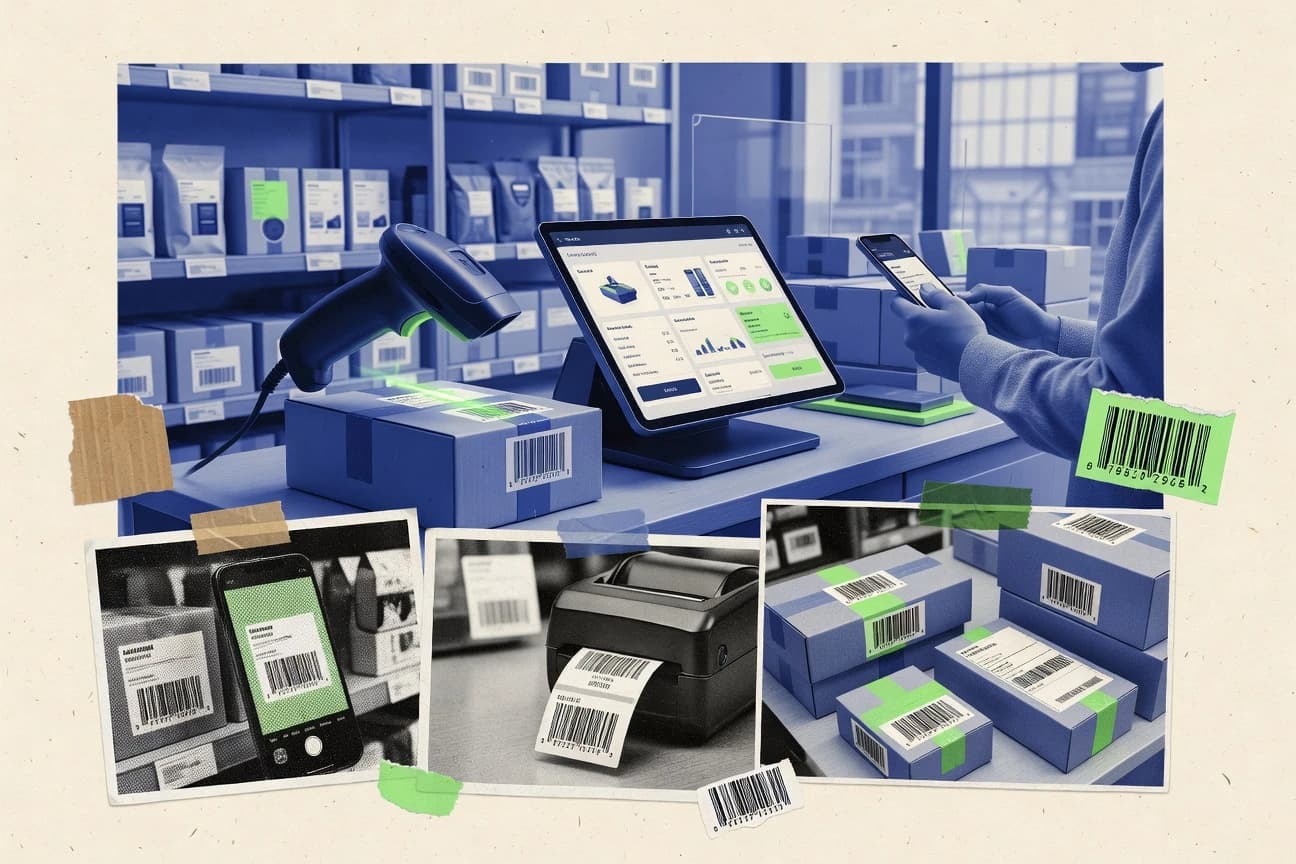
Top 10 barcode scanning software ranked by accuracy, device support, and workflow fit. Includes tools like Google ML Kit, CodeREADr, and Wasp Barcode.

How we ranked these tools
Core product claims cross-referenced against official documentation, changelogs, and independent technical reviews.
Analyzed video reviews and hundreds of written evaluations to capture real-world user experiences with each tool.
AI persona simulations modeled how different user types would experience each tool across common use cases and workflows.
Final rankings reviewed and approved by our editorial team with authority to override AI-generated scores based on domain expertise.
Score: Features 40% · Ease 30% · Value 30%
Gitnux may earn a commission through links on this page — this does not influence rankings. Editorial policy
Google ML Kit Barcode Scanning is the best fit when your mobile team needs camera-based scanning inside an app with minimal backend dependency, whereas CodeREADr works better for warehouse inventory or asset tracking that relies on validated scan history with API-driven updates.
Editor’s top 3 picks
Three quick recommendations before you dive into the full comparison below — each one leads on a different dimension.
Google ML Kit Barcode Scanning
On-device ML decoding with configurable detection behavior and format filtering via the ML Kit SDK callbacks.
Built for fits when mobile teams need camera-based scanning in an app with minimal backend dependency..
CodeREADr
Editor pickScan validation plus duplicate-scan prevention that records consistent events with a traceable scan history.
Built for fits when warehouse teams need camera-based scanning with validated history and API-driven inventory updates..
Wasp Barcode
Editor pickConfigurable scan validation and duplicate handling are built into the scan workflow, not added as a separate post-processing step.
Built for fits when operations teams need standardized scan validation and traceable scan history across warehouse workflows..
Comparison Table
Google ML Kit Barcode Scanning
API-firstOn-device barcode scanning API for Android and iOS.
On-device ML decoding with configurable detection behavior and format filtering via the ML Kit SDK callbacks.
ML Kit Barcode Scanning offers an SDK API that lets apps start a live scanner, receive decoded results as they are detected, and manage scanning intensity through configuration options like supported formats and detection settings. The integration path is developer-centric, with clear callbacks for scan results and error states that support pairing with app-specific UX such as preview overlays and scan confirmation screens. It also supports offline scanning because decoding runs on the device rather than requiring a network call for each frame.
A key tradeoff is that on-device ML decoding accuracy depends on lighting, motion, and camera focus, so industrial-grade capture may need careful UX and fallback logic. It fits well when inventory checks, ticket verification, or asset lookups happen inside a mobile app where users scan with a phone camera instead of a dedicated handheld scanner.
- +On-device decoding with live result callbacks for real-time UX
- +Configurable supported barcode formats to reduce false positives
- +Android and iOS SDK APIs for consistent scanner integration
- +Structured detection results for downstream validation and workflows
- –Accuracy drops with motion blur and low-light conditions
- –Result handling is app responsibility for deduplication and scan history
- –Continuous scanning can require tuning to balance speed and stability
- –Integration work is needed to connect to WMS or POS systems
Warehouse mobile ops
Phone-based receiving scan in aisles
Faster putaway confirmations
Retail field teams
Shelf checks using phone camera
Cleaner stock take entries
Show 2 more scenarios
Event operations
Ticket or badge scanning at gates
Lower manual verification
Real-time scan callbacks drive immediate acceptance logic inside the gate app.
Logistics QA
Damage inspection scan from mobile
Fewer missed scan opportunities
On-device decoding supports offline checks during carrier pickup without network reliance.
Best for: Fits when mobile teams need camera-based scanning in an app with minimal backend dependency.
CodeREADr
SMBCloud-based barcode scanning app for inventory and asset tracking.
Scan validation plus duplicate-scan prevention that records consistent events with a traceable scan history.
CodeREADr fits teams that need staff to scan barcodes on phones while keeping scan results consistent for receiving, picking, and cycle counts. Scan handling includes configurable validation and a scan history trail that supports later review of what was scanned and when. API access is positioned for integration with inventory management and warehouse management systems, which reduces duplicate re-entry in operational tools.
A key tradeoff is that governance and workflow consistency depend on the rules and mappings configured in CodeREADr. Without a well-defined validation and mapping setup, scans can be recorded but not correctly reconciled against the target item records. CodeREADr works best when a receiving or picking process already has stable item identifiers and system of record logic that the integration can follow.
- +REST API integration for pushing scan results into inventory systems
- +Configurable scan validation rules reduce bad reads in operations
- +Scan history supports audit trails for receiving and count workflows
- +Duplicate-scan prevention helps keep quantity updates accurate
- –Workflow correctness depends on upfront mapping and validation configuration
- –Advanced governance controls are limited compared with enterprise inventory suites
- –Offline scanning behavior is not a primary strength for continuous warehouse use
- –Complex multi-system reconciliation may require custom integration logic
Warehouse receiving teams
Validate inbound items during receiving
Fewer receiving entry errors
Inventory control teams
Run cycle counts with traceability
Cleaner count adjustments
Show 2 more scenarios
Field operations coordinators
Capture stock movement outside the warehouse
More accurate stock visibility
Mobile scans feed inventory updates through API calls to reduce manual log work.
Warehouse IT integrators
Connect scanning to WMS workflows
Faster operational throughput
REST API integration lets scans trigger downstream updates without rekeying in a UI.
Best for: Fits when warehouse teams need camera-based scanning with validated history and API-driven inventory updates.
Wasp Barcode
SMBBarcode inventory and asset tracking software with hardware bundles.
Configurable scan validation and duplicate handling are built into the scan workflow, not added as a separate post-processing step.
Wasp Barcode targets teams that need consistent scan outcomes across mobile and fixed scanning situations. The workflow controls typically include scan validation, duplicate-scan prevention, and configurable actions after a scan event. Scan history supports auditing of what was captured and when, which helps with receiving and cycle count traceability. Integration options are designed to send scanned results into existing inventory and operational systems.
A key tradeoff is that deeper automation depends on setting up the workflow rules and mapping scanned values to the right downstream fields. It fits best when teams want standardized scan steps for repeat tasks like receiving checks, inventory updates, or picking verification without building custom scan logic from scratch.
- +Workflow rules enforce scan validation before results are accepted
- +Scan history provides traceability for receiving and inventory events
- +Duplicate-scan prevention reduces accidental rechecks
- +Integration oriented capture supports downstream operational handling
- –Rule setup and value mapping take time for first deployment
- –Advanced governance features are not as prominent as in enterprise WMS suites
- –Camera based scanning accuracy depends on device lighting and positioning
Warehouse receiving teams
Validate received item scans
Fewer misreceipts and rework
Inventory control teams
Run cycle counts with traceability
Cleaner inventory adjustments
Show 1 more scenario
Field operations supervisors
Standardize mobile scanning workflows
More consistent scan outcomes
Configured scan steps reduce variation between workers when capturing operational identifiers.
Best for: Fits when operations teams need standardized scan validation and traceable scan history across warehouse workflows.
Dynamsoft Barcode Reader
API-firstCross-platform barcode reader SDK for developers.
Configurable image preprocessing and decoding parameters that target scan reliability across camera noise and blur.
Dynamsoft Barcode Reader focuses on developer-facing barcode decoding through an SDK that supports 1D and 2D symbologies for camera and image inputs. It includes image preprocessing and decoding controls that help tune scan quality across varying lighting, blur, and resolutions.
The core differentiator is its integration depth for embedding scanning into existing desktop, web, or mobile workflows using APIs rather than a standalone scanning app. This makes it a fit for teams that need consistent decoding behavior, configurable validation, and automation around scan results.
- +SDK-first design with API hooks for decoding pipelines and result handling
- +Configurable preprocessing improves decode consistency across uneven capture conditions
- +Support for multiple barcode formats reduces need for separate decoders
- +Built-in options for scan validation and duplicate-scan prevention workflows
- –Configuration complexity increases when tuning decoding and preprocessing parameters
- –Advanced governance like RBAC and audit logs is not a native focus
- –Deep integration work is required to match WMS or POS data flows
- –Throughput depends on image capture strategy and batch sizing
Best for: Fits when teams need embedded decoding APIs and configurable scan validation inside existing apps.
LEADTOOLS Barcode SDK
enterpriseBarcode recognition and generation SDK for .NET, C++, and Java.
Built-in image preprocessing controls that let developers tune decoding for poor contrast and damaged prints.
LEADTOOLS Barcode SDK decodes 1D and 2D barcode images through an embedded decoding engine that supports both camera-based and batch image workflows. The SDK provides image preprocessing hooks such as filtering and binarization, plus configurable symbology handling for controlled scan validation.
Integration depth is driven by native APIs for C++ and .NET and by an add-on path for fixed-mount and industrial readers. Automation is supported through programmatic scanning pipelines that can run offline and return structured results for downstream inventory or WMS logic.
- +Strong decoding accuracy with configurable symbology recognition paths
- +Native C++ and .NET APIs support high-throughput batch and live decoding
- +Image preprocessing controls help stabilize reads under blur and noise
- +Result objects include detailed metadata for downstream validation
- –Code-level integration effort is higher than app-style scanning tools
- –Some camera workflows require additional configuration beyond core decoding
- –Scan validation settings can be complex to tune across symbologies
- –Operating accuracy depends on correct preprocessing and ROI choices
Best for: Fits when engineering teams need a native barcode decoding engine embedded into enterprise apps.
Aspose.BarCode
API-firstBarcode generation and recognition API for multiple programming languages.
API-first decoding that runs as a library inside existing apps for automated back-office batch ingestion.
Aspose.BarCode targets barcode decoding and image-to-data workflows where code scanning must run inside software, not just on a phone app. It includes a decoding engine that supports common 1D and 2D barcode symbologies and can be paired with custom image preprocessing to improve decode reliability.
The solution focuses on developer automation through an API surface suitable for batch scanning, offline scanning, and scan history storage. Aspose.BarCode is distinct for teams that need deterministic decoding behavior inside back-end services rather than a manual scanning UI.
- +Developer API supports barcode decoding inside custom services
- +Batch processing fits scheduled intake and back-office workflows
- +Image preprocessing hooks help address low-contrast scans
- +Wide symbology coverage reduces format-specific branching
- –No built-in mobile scanner UX for camera-first field capture
- –Throughput can be image-size sensitive without preprocessing controls
- –Scan validation and duplicate-scan prevention require extra custom logic
- –Workflow orchestration is on the integrating application
Best for: Fits when back-end services must decode 1D and 2D barcodes from stored images.
Honeywell SwiftDecoder
EnterpriseBarcode decoding software for mobile, industrial, and retail scanning systems.
Configurable scan validation behavior that applies strict acceptance and rejection logic during decoding.
Honeywell SwiftDecoder focuses on decoding correctness for enterprise capture workflows, with an emphasis on validation-driven acceptance rules.
Image preprocessing and decoding configuration are used to improve read consistency across changing label contrast and motion conditions.
Integration is oriented around fitting into existing scanning systems rather than providing a standalone scan UI.
- +Deterministic decoding pipeline with configurable validation rules
- +Image preprocessing helps stabilize reads across variable lighting
- +Workflow-centric integration for capture appliances and scanners
- +Supports multiple barcode symbologies used in warehouse labels
- –Scan-quality tuning requires careful configuration and field testing
- –Less suited for teams needing a full end-user scanning interface
- –Automation surfaces depend on integration approach in the target environment
- –Operational reporting depth can require companion tooling
Best for: Fits when enterprises need consistent scan decoding and validation inside existing warehouse or logistics capture workflows.
Scanbot SDK
API-firstBarcode scanning SDK for mobile, web, and desktop applications.
Device and app level configuration for continuous scanning loops with duplicate suppression controls for stable scan streams.
Scanbot SDK is a camera-based barcode scanning SDK built for embedding decoding and image preprocessing into native Android and iOS apps. It supports multiple symbologies such as QR code, Data Matrix, PDF417, and common linear formats, and it exposes scanning behavior controls for framing, ROI handling, and scan result handling.
Scanbot SDK also includes features aimed at production pipelines like scan retry logic, duplicate-scan prevention options, and background scanning workflows suitable for warehouse and retail flows. The integration focus centers on developer-controlled capture, decode, and event delivery rather than a standalone scanning app.
- +Native SDK design that delivers scan results to app code
- +Configurable scanning loops for ROI control and continuous capture
- +Broad symbology support including QR, Data Matrix, and PDF417
- +Options that reduce repeat detections during continuous scanning
- –App integration work is required to match workflow needs
- –Governance like RBAC and audit logs is not part of the SDK layer
- –No built-in inventory or WMS connectors compared with full platforms
- –Throughput tuning depends on camera settings and app-side pipeline
Best for: Fits when teams need embedded mobile barcode scanning with app-level workflow control and minimal external UI.
Finale Inventory
Vertical specialistCloud inventory management software with barcode-based receiving and picking.
Scan history records barcode capture events and connects them to the inventory transaction that changed stock.
Finale Inventory handles barcode-based inventory capture by letting staff scan items and move counts into inventory records. It supports warehouse-style workflows like receiving, transfers, and stock adjustments with scan history that can be used to trace who scanned what and when.
Finale Inventory also integrates inventory data with related operational systems through an API and automation hooks for syncing item masters and updating quantities. The product is distinct for its scan-to-inventory workflow focus rather than generic label management alone.
- +Scan-to-inventory workflow keeps receiving and adjustments tied to scanned events
- +Scan history supports traceability for quantity changes tied to specific scans
- +API supports inventory sync and automation for external systems
- +Configurable workflows cover common stock movement patterns like transfers and adjustments
- –Complex item matching rules require careful setup to avoid mismatched barcodes
- –Advanced warehouse integration depth depends on how external WMS processes are modeled
- –Large master-data imports can become operational overhead during item lifecycle changes
- –Role governance and audit logging require deliberate configuration to stay consistent
Best for: Fits when teams need barcode scanning to drive inventory changes with traceable scan history and external syncing.
Socket Mobile CaptureSDK
API-firstDeveloper toolkit for integrating Socket Mobile barcode scanners with applications.
SDK-level capture event interface that delivers scan results to the host app for custom processing and routing.
Socket Mobile CaptureSDK targets barcode capture on Socket Mobile hardware by pairing a device-side scanning flow with a host-side software integration. CaptureSDK focuses on turning scan events into usable payloads through an SDK interface that supports mobile and enterprise deployment patterns.
The solution is built around client apps that receive scan results and then implement downstream behaviors such as formatting, validation, and routing to business systems. For teams with existing apps and scanner fleets, the main value is controlling how scan data enters the application rather than using a generic scan-to-field utility.
- +Event-driven scan callbacks designed for app-level handling
- +Host integration model fits mobile scanning workflows
- +Good fit for custom routing into existing application logic
- +Supports managing multiple scan sessions in one app process
- –Requires software integration work instead of plug-and-scan setup
- –Limited out-of-the-box workflow automation compared with scanners plus WMS connectors
- –Barcode validation and de-duplication behavior must be implemented in the app
- –Operational governance depends on the integrator’s device management layer
Best for: Fits when teams need app-level control of scan events using Socket hardware in custom workflows.
Conclusion
After evaluating 10 business finance, Google ML Kit Barcode Scanning stands out as our overall top pick — it scored highest across our combined criteria of features, ease of use, and value, which is why it sits at #1 in the rankings above.
Use the comparison table and detailed reviews above to validate the fit against your own requirements before committing to a tool.
How to Choose the Right barcode scanning software
Barcode scanning software for camera-based capture typically combines decoding behavior, scan validation rules, and scan history so captured results can drive downstream inventory actions. This guide covers Google ML Kit Barcode Scanning, CodeREADr, Wasp Barcode, and other SDK and workflow-first options like Dynamsoft Barcode Reader and Aspose.BarCode.
The coverage focuses on how each tool handles configurable detection, how scan results are delivered to calling apps, and how validation and duplicate prevention are represented in the workflow. The emphasis also includes integration depth through SDK callbacks and REST API integration paths.
Barcode scanning software for decoding, validation, and inventory-ready scan event delivery
Barcode scanning software turns camera input, stored images, or scanner capture events into decoded barcode results plus structured scan events that apps can act on. Many implementations also add scan validation logic and duplicate handling so incorrect reads do not flow into inventory updates.
Google ML Kit Barcode Scanning is built around on-device decoding with configurable detection behavior and format filtering delivered through live result callbacks. CodeREADr adds scan validation plus duplicate-scan prevention tied to a traceable scan history and pushes results into inventory systems via REST API integration.
Barcode scan workflow controls, APIs, and scan history for inventory-ready events
Barcode scanning software has to do more than decode symbols. It must attach decoded results to a scan workflow that enforces validation, deduplication, and traceable scan history before inventory systems accept changes.
Tool choice should track how scan results are delivered to application code. It also should track how much automation and API surface exists for pushing validated scan events into inventory systems with configuration that matches real warehouse and field capture behavior.
On-device decoding with configurable detection behavior
Google ML Kit Barcode Scanning runs on-device decoding with configurable detection behavior delivered through live result callbacks. It also supports format filtering so only relevant barcode symbology types are targeted during capture.
Scan validation plus duplicate-scan prevention with traceable history
CodeREADr combines scan validation and duplicate-scan prevention with a traceable scan history tied to captured events. Wasp Barcode provides workflow-level validation and duplicate handling with scan history designed for receiving and inventory traceability.
SDK-first decoding pipelines with image preprocessing controls
Dynamsoft Barcode Reader provides configurable image preprocessing and decoding parameters to stabilize reads across camera noise and blur. LEADTOOLS Barcode SDK adds built-in image preprocessing controls aimed at poor contrast and damaged prints for higher decode consistency.
REST API integration for pushing scan results into inventory systems
CodeREADr includes REST API integration for pushing scan results into inventory systems after validation and duplicate handling. Finale Inventory focuses on connecting scan history to inventory transactions so external syncing can map scan events to stock changes.
Batch decoding and back-office ingestion from stored images
Aspose.BarCode is API-first and supports decoding inside custom services for automated back-office batch ingestion from stored images. It is a fit when scanning is not a live camera UX but a scheduled intake workflow over existing files.
Capture event models for app-level routing and custom processing
Socket Mobile CaptureSDK delivers scan results through an event-driven capture interface designed for host app routing. Scanbot SDK focuses on continuous scanning loops with app-level control that delivers results to calling app code.
Choose based on capture-to-inventory control depth and integration shape
The right barcode scanning software depends on where scan correctness is enforced. Some tools enforce validation and duplicate rules inside the scanning workflow. Other tools provide decoding engines that require the application to enforce validation and scan history.
Integration shape also drives implementation time. Some products are app-friendly with live callbacks and SDK capture loops. Others are library or engine-first components that prioritize preprocessing control and decoding automation across batch or custom device capture paths.
Pick the enforcement layer for validation and deduplication
If scan validation and duplicate handling must happen before accepted results are returned to the app, compare CodeREADr, and Wasp Barcode. CodeREADr and Wasp Barcode both bake validation and duplicate behavior into the scan workflow so inventory updates do not depend on separate post-processing.
Choose between app-first live callbacks and engine-first decoding libraries
If the primary need is camera-based scanning inside a mobile app with minimal backend dependency, compare Google ML Kit Barcode Scanning and Scanbot SDK. Both deliver results to calling app code through live or continuous capture patterns. If the primary need is embedding a decoding engine inside enterprise apps or services, compare Dynamsoft Barcode Reader and LEADTOOLS Barcode SDK. Both expose SDK controls for tuning decoding and preprocessing behavior inside custom pipelines.
Confirm where scan history is recorded and how it ties to inventory actions
If scan history must connect to the inventory transaction that changed stock, evaluate CodeREADr and Finale Inventory. CodeREADr emphasizes traceable scan history tied to scan events with REST API integration for inventory updates, while Finale Inventory links scan history to the transaction that adjusted stock.
Account for preprocessing complexity based on capture conditions
If capture conditions vary across lighting, glare, motion, or blur, compare Dynamsoft Barcode Reader and LEADTOOLS Barcode SDK. Both provide configurable image preprocessing controls that can improve decode consistency when camera capture quality degrades.
Select the integration model that matches where scanning happens
For back-office decoding from stored images, compare Aspose.BarCode with a batch-focused workflow. Aspose.BarCode is designed for API-driven batch ingestion and library-style decoding inside custom services. For custom hardware capture events and app-level routing, compare Socket Mobile CaptureSDK with its capture event interface. Socket Mobile is structured for host app handling, not a complete warehouse connector workflow.
Who should buy barcode scanning software based on workflow ownership
Some teams need a scanning component that returns decoded results and lets app code decide what to do. Other teams need validation, deduplication, and scan history to be enforced in the scanning workflow so inventory integration can trust the event stream.
The choice also depends on whether scanning is live camera capture inside a mobile app, embedded decoding inside an enterprise app, or batch decoding from stored images in back-office services.
Mobile app teams shipping camera-based scanning UX
Google ML Kit Barcode Scanning delivers on-device decoding with live result callbacks and configurable format filtering so app code can build validation and user feedback loops quickly.
Warehouse teams integrating scan events into inventory updates via API
CodeREADr provides scan validation plus duplicate-scan prevention with REST API integration so inventory systems receive validated scan events with traceable history.
Enterprise developers embedding a decoding engine into custom applications
Dynamsoft Barcode Reader and LEADTOOLS Barcode SDK provide SDK-first decoding and configurable image preprocessing controls designed to be tuned inside existing app pipelines.
Operations teams running continuous scan loops on mobile devices
Scanbot SDK supports continuous scanning loops with configuration options and duplicate suppression controls so stable scan streams can be delivered to app code.
Back-office teams decoding stored images at scheduled intake
Aspose.BarCode is API-first and supports batch processing for automated back-office ingestion where camera UX is not required.
Common barcode scanning buying mistakes that break scan-to-inventory workflows
Barcode scanning projects fail most often when validation, deduplication, and scan history are treated as optional layers. If decoded results feed inventory updates without workflow enforcement, incorrect reads and repeated captures create bad stock adjustments.
Another failure pattern is choosing an SDK that matches decoding needs but not the required capture model. A batch decoding library is not a substitute for continuous mobile capture loops, and a capture event interface is not a substitute for warehouse-integrated scan workflows.
Building inventory updates directly from raw decode results without duplicate prevention.
Compare CodeREADr and Wasp Barcode because both include duplicate-scan prevention tied to scan history so repeated captures do not create repeated inventory transactions.
Assuming a decoding engine will provide warehouse-grade scan governance and audit controls.
Dynamsoft Barcode Reader and LEADTOOLS Barcode SDK focus on decoding and preprocessing controls and do not position RBAC or audit log governance as native focus. Plan application-side governance using the SDK outputs.
Selecting a batch decoding library for live field scanning requirements.
Aspose.BarCode supports API-first decoding and batch processing of stored images but does not provide a built-in mobile scanner UX for camera-first field capture.
Underestimating the tuning effort needed for preprocessing and validation rules.
LEADTOOLS Barcode SDK and Dynamsoft Barcode Reader can improve decode consistency via preprocessing controls, but configuration complexity increases when tuning decoding parameters for noisy capture conditions.
Ignoring how scan history is connected to inventory transactions when syncing externally.
Finale Inventory records scan history and connects capture events to the inventory transaction that changed stock, so mismatched item matching rules must be configured carefully to avoid incorrect barcode-to-item mapping.
How We Selected and Ranked These Tools
We evaluated Google ML Kit Barcode Scanning, CodeREADr, Wasp Barcode, Dynamsoft Barcode Reader, LEADTOOLS Barcode SDK, Aspose.BarCode, Honeywell SwiftDecoder, Scanbot SDK, Finale Inventory, and Socket Mobile CaptureSDK using feature depth, integration surface, and capture-to-inventory workflow control. Features counted for 40% of the score because each tool’s handling of scan validation behavior, duplicate handling, and scan history determines whether downstream inventory updates can trust the event stream.
Ease and value each counted for 30% because integration effort varies between SDK-first decoding components like Dynamsoft Barcode Reader and live callback or capture loop tools like Scanbot SDK. Google ML Kit Barcode Scanning ranked highest because on-device decoding is delivered through live result callbacks with configurable detection behavior and format filtering built around mobile camera workflows.
Frequently Asked Questions About barcode scanning software
Which tool fits camera scanning inside an existing mobile app without heavy backend work: Google ML Kit Barcode Scanning, Scanbot SDK, or CodeREADr?
How does REST API integration differ between CodeREADr, Finale Inventory, and Wasp Barcode for scan-to-inventory updates?
When strict acceptance and rejection matters during decoding, which tool applies checksum or rejection logic at scan time: Honeywell SwiftDecoder or Dynamsoft Barcode Reader?
What breaks if duplicate-scan prevention is missing in the workflow, and which products include it in the capture path: CodeREADr, Wasp Barcode, or Scanbot SDK?
Which tool is better suited for decoding stored images in back-end services: Aspose.BarCode, LEADTOOLS Barcode SDK, or Google ML Kit Barcode Scanning?
How do image preprocessing controls affect decoding reliability across blur and lighting, and which tool offers the clearest tuning knobs: Dynamsoft Barcode Reader or LEADTOOLS Barcode SDK?
How does app-level configuration of continuous scanning loops differ between Scanbot SDK and Socket Mobile CaptureSDK?
Which tool supports embedded decoding for web or desktop workflows via SDKs rather than a standalone mobile scanning UI: Dynamsoft Barcode Reader, LEADTOOLS Barcode SDK, or CodeREADr?
What admin controls and auditability features should be expected when scan history must support operational traceability in Finale Inventory, CodeREADr, and Wasp Barcode?
Tools reviewed
Primary sources checked during evaluation.
Referenced in the comparison table and product reviews above.
- Business FinanceTop 10 Best Barcode Software of 2026
- Digital Products And SoftwareTop 10 Best Batch Scanning Software of 2026
- Business FinanceTop 10 Best Inventory Barcode Scanner Software of 2026
- Business FinanceTop 10 Best Fire Extinguisher Barcode Inspection Software of 2026
- Business FinanceTop 10 Best Barcode Reader Software of 2026
Keep exploring
Comparing two specific tools?
Software Alternatives
See head-to-head software comparisons with feature breakdowns, pricing, and our recommendation for each use case.
Explore software alternatives→In this category
Business Finance alternatives
See side-by-side comparisons of business finance tools and pick the right one for your stack.
Compare business finance tools→