GITNUXSOFTWARE ADVICE
Automotive ServicesTop 10 Best Auto Appraisal Software of 2026
Ranking roundup of auto appraisal software for dealers and appraisers, comparing vAuto, Mitchell WorkCenter, and CDK tools by features and tradeoffs.

How we ranked these tools
Vendors set the topic, but our editors set the inclusion criteria and the evaluation framework before research starts.
AI search agents find sources, extract figures with provenance, and aggregate written reviews. They also transcribe video reviews and podcasts.
Framework: Features 40% · Ease 30% · Value 30%
Gitnux may earn a commission through links on this page — this does not influence rankings. Editorial policy
Mitchell WorkCenter is the right fit if appraisal teams need consistent, repeatable report packages for supplements and documentation, while vAuto works best when dealership teams want documented inspection-to-valuation production at scale, and vAuto is the entry pick for lean budgets that just need that workflow.
Editor’s top 3 picks
Three quick recommendations before you dive into the full comparison below — each one leads on a different dimension.
Mitchell WorkCenter
WorkCenter case workspace with guided appraisal steps that keep inspection inputs and valuation outputs synchronized per VIN.
Best for: Fits when appraisal teams need consistent, repeatable report packages across supplements and documentation.
vAuto
Editor pickDamage photo annotation tied directly to the appraisal worksheet drives consistent valuation evidence across cases.
Best for: Fits when dealership or appraisal teams need fast, documented inspection to valuation production at scale.
CDK Global
Editor pickAppraisal workflow outputs align with CDK operational records to keep vehicle context consistent from inspection to report.
Best for: Fits when dealers need appraisal outputs tied to existing CDK operational records and repeatable inspections.
Comparison Table
Mitchell WorkCenter
enterpriseVehicle appraisal and claims management platform for insurers and collision repair shops.
WorkCenter case workspace with guided appraisal steps that keep inspection inputs and valuation outputs synchronized per VIN.
Mitchell WorkCenter centralizes the auto appraisal workflow with guided steps for inspection notes, photo documentation, and valuation outputs that can be reused across the lifecycle of a case. The workspace is designed to reduce context switching between inspection capture, damage narrative, and report generation so appraisers can finish a complete packet in fewer passes.
A key tradeoff is that deeper integrations and repeatable automation depend on setup effort for dealer and claims systems, so governance matters in multi-store rollouts. It fits situations where appraisal teams must produce consistent valuation reports while coordinating supplements and vehicle documentation for ongoing claim files.
- +Guided appraisal workflow keeps inspection notes and valuation outputs aligned
- +Strong document packaging for repeatable appraisal worksheets
- +Photo and damage documentation are built into the case workflow
- +Supplement handling supports ongoing claim file completion
- –Automation depth requires careful dealer workflow configuration
- –Custom integration work can be needed for nonstandard DMS or claims tools
Independent appraisers
Complete claim packet with consistent worksheets
Fewer packet reworks
Dealer body shops
Repair planning with appraisal documentation
Faster appraisal turnaround
Show 2 more scenarios
Claims operations teams
Manage supplement rounds for same VIN
Lower supplement churn
Track ongoing supplement activity while keeping prior inspection context and outputs attached to the case.
Multi-store dealer groups
Standardize appraisal workflows across locations
More uniform report quality
Configure repeatable appraisal worksheets and output structure so stores follow the same documented process.
Best for: Fits when appraisal teams need consistent, repeatable report packages across supplements and documentation.
vAuto
enterpriseAutomotive inventory software with vehicle pricing and appraisal workflows.
Damage photo annotation tied directly to the appraisal worksheet drives consistent valuation evidence across cases.
vAuto fits teams that run many concurrent appraisals and need consistent documentation from inspection through valuation. The workflow centers on capturing inspection evidence, mapping damages to valuation inputs, and producing an appraisal worksheet and valuation report that can be shared with internal teams and claims stakeholders. Damage photos and annotations are managed as part of the same process, which reduces missing-evidence churn when cases move to estimating or review.
A key tradeoff is that teams typically need process discipline to keep inspections and worksheet settings standardized across appraisers. vAuto works best in environments where appraisal throughput is high and where integration into downstream dealer and claims steps reduces re-entry of information.
- +End-to-end inspection to valuation workflow reduces evidence re-entry
- +Photo documentation with annotated damages supports repeatable reviews
- +Standardized appraisal worksheet and valuation report output for consistency
- +Automation around workflow steps supports higher appraisal throughput
- –Workflow consistency depends on enforcing standardized inspection practices
- –Deep automation can require training to avoid worksheet setup drift
- –Some downstream handoffs depend on integration configuration
- –Report customization workflows can feel rigid for edge-case cases
Auto appraisal teams
High-volume inspections with standardized outputs
Fewer rework cycles
Dealer collision departments
Repair planning with documented evidence
Tighter estimator alignment
Show 2 more scenarios
Claims operations managers
Claim review with repeatable documentation
Quicker case movement
Claims reviewers receive inspection evidence and valuation worksheets in a consistent format for faster gating.
Independent appraisers
Multi-case workflow with audit trail
More time for analysis
Appraisers run consistent photo and worksheet workflows across cases to reduce manual spreadsheet handling.
Best for: Fits when dealership or appraisal teams need fast, documented inspection to valuation production at scale.
CDK Global
enterpriseAutomotive retail platform with vehicle appraisal and inventory management tools.
Appraisal workflow outputs align with CDK operational records to keep vehicle context consistent from inspection to report.
CDK Global supports an appraisal workflow that ties vehicle context to inspection documentation, including mileage verification and photo documentation used in valuation writeups. The system is geared toward operational repeatability, with configurable prompts and worksheet-style outputs that map observations to a valuation narrative. This fit shows up most clearly when dealers need appraisal artifacts to flow into existing dealer processes rather than living in a standalone valuation tool.
A tradeoff is that organizations gain more from the workflow when they already standardize around CDK operational records, because non-CDK environments can face extra mapping effort. A strong usage situation is when appraisal teams run frequent vehicle inspection cycles and need consistent VIN decoding and vehicle history report context to keep valuation decisions aligned across appraisers. Another common scenario involves handling supplement-like follow-ups, where the workflow needs to maintain continuity between the first worksheet and later adjustments.
- +Dealer record integration reduces duplicate VIN, mileage, and notes entry
- +Worksheet-style outputs support consistent appraisal documentation
- +Photo documentation and observation capture fit damage assessment reviews
- +Standardized valuation context helps appraisal decisions stay aligned
- –Best workflow value depends on existing CDK ecosystem standardization
- –Extending beyond core dealer systems can require additional integration work
- –Complex appraisal adjustments may need stricter operator training
Dealers with appraisal teams
High-volume inspections feeding repeatable reports
Fewer data re-entry errors
Auto appraisal operations
Damage assessment with photo evidence
More consistent appraisal outcomes
Show 1 more scenario
Dealer operations managers
Standardizing appraisal documentation rules
Lower process variance
Configuration-driven workflow steps make appraisal documentation less dependent on individual operator variation.
Best for: Fits when dealers need appraisal outputs tied to existing CDK operational records and repeatable inspections.
Auto/Mate
SMBDealer management system with vehicle appraisal and inventory management features.
Annotated damage photo capture tied directly to appraisal worksheets, so the photos stay associated with the damage items used in valuation decisions.
Auto/Mate ties vehicle inspection data into an appraisal workflow that centers on VIN-based vehicle setup, valuation calculations, and worksheet creation for claims decisions. The system supports image handling for annotated damage documentation and generates appraisal outputs that can be used during supplement handling and repair-versus-total-loss evaluation. Auto/Mate focuses on repeatable dealer and appraiser processes, with configurable steps for gathering mileage verification inputs, repair estimates, and valuation assumptions in one place.
- +VIN-driven vehicle setup reduces manual entry during appraisal creation
- +Annotated damage photo workflows support consistent documentation for claims files
- +Worksheet outputs map cleanly to supplement handling review cycles
- +Valuation configuration supports market value adjustment logic by scenario
- –Workflow configuration requires disciplined setup to match each team’s process
- –Deep claims management integration depends on external systems used by the shop
- –Image review and tagging can feel slower when processing high-volume supplements
- –Report customization can require more administration than some dealer workflows
Best for: Fits when dealers need inspection-to-worksheet workflows with photo documentation and VIN-driven vehicle setup.
DealerCenter
SMBDealer management software with integrated vehicle appraisal and valuation functions.
Audit trail for appraisal edits paired with supplement handling inside the appraisal workflow.
DealerCenter manages the end-to-end auto appraisal workflow for dealers and appraisers, from vehicle intake to worksheet output. It centers on inspection capture, damage documentation, and valuation worksheets designed for consistent reporting across appraisal cycles.
- +Photo-centric appraisal workflow ties vehicle condition notes to worksheet fields
- +VIN-driven intake reduces manual typing during inspection and valuation setup
- +Inspection and worksheet steps support consistent output formatting across teams
- +Audit trail supports governance across appraisal edits and supplement cycles
- –Deep workflow automation depends on administration discipline for role separation
- –API and external integration coverage can require a custom integration plan
Best for: Fits when dealer appraisal teams need standardized inspection-to-worksheet reporting with controlled change history.
Audatex
enterpriseVehicle damage appraisal and claims processing software from Solera.
Configurable appraisal workflows that preserve evidence context across supplements and review cycles with audit-ready traceability.
Audatex is used for auto appraisal workflow support in insurance, dealer, and appraisal operations where damage assessment needs to translate into standardized valuation outputs. Core capabilities center on estimating support that ties vehicle identifiers to repair and valuation logic, plus document output for valuation reports used during claims.
- +Strong estimation-to-report workflow for claims and appraisals
- +Photo evidence handling supports consistent documentation during supplements
- +Integration options reduce manual rekeying between systems
- +Governance controls support multi-user review and traceability
- –Navigation and configuration depth can slow teams new to the workflow
- –Some inspection steps depend on external processes or add-on components
- –Output formatting for niche valuation styles can require admin tuning
- –API availability and coverage may be constrained by dealer or partner permissions
Best for: Fits when appraisal teams need standardized claim-ready outputs with controlled review evidence and integration into existing claims systems.
CCC ONE
enterpriseCloud-based claims and appraisal management platform for automotive insurance.
Supplement and revision handling stays tied to the same appraisal worksheet context inside CCC ONE.
CCC ONE is CCC’s dealer and appraiser workflow suite that ties vehicle information, inspections, and valuation outputs into a single claims-oriented system. It centers on structured data capture for estimates, damage photos, and valuation logic that supports consistent appraisal worksheets and reports across users.
- +Structured appraisal and reporting workflow reduces re-keying across revisions
- +Photo documentation and annotated damage support consistent damage assessment packages
- +CCC ecosystem integration supports claims and repair-estimate handoffs
- +Audit trail supports accountability for worksheet and valuation changes
- –Deep workflow configuration can require governance discipline across teams
- –VIN decoding and history sourcing may add dependencies on connected data services
Best for: Fits when dealer groups or appraisal teams need CCC-aligned claims workflows and consistent worksheet outputs.
KBB Instant Cash Offer
vertical specialistConsumer-facing vehicle appraisal tool providing dealer-backed purchase offers.
VIN-driven KBB cash-offer generation that converts structured vehicle details into a ready offer figure quickly.
KBB Instant Cash Offer from kbb.com focuses on producing an offer value using KBB vehicle valuation logic and dealer-style quote presentation. The workflow centers on vehicle identification, including VIN handling when available, and turning that input into a ready-to-use cash-offer figure.
- +Fast quote generation based on KBB valuation inputs and vehicle identification
- +Structured intake reduces manual entry friction for offer creation
- +Quote output is easy to reuse in a sales conversation
- +Clear separation between vehicle identification inputs and the resulting offer
- –Limited support for damage assessment workflows beyond basic condition inputs
- –No built-in repair estimate integration for supplement creation in complex claims
- –Thin support for photo documentation and annotated damage photo attachment
- –Automation and API surface depth is not geared for appraisal system integration
Best for: Fits when dealerships need quick cash offer values for inbound trade discussions, not full appraisal packet production.
AutoManager WebEasily
SMBDealer management system with integrated vehicle appraisal and inventory tools.
Built-in photo documentation view links condition evidence directly to appraisal worksheet fields.
AutoManager WebEasily provides an online auto appraisal workflow for building valuation reports from vehicle details and inspection inputs. It focuses on handling the appraisal worksheet steps that feed a written valuation outcome, including photo capture management for documenting vehicle condition.
- +Report generation ties inspection inputs to a consistent valuation worksheet output.
- +Photo documentation supports reviewer access to damage context during appraisal edits.
- +Workflow structure reduces missed fields in valuation worksheets across repeat jobs.
- +Web-based access enables staff to collaborate without local client installs.
- –API integration options are not clearly positioned for third-party claims systems.
- –Roles and permissions controls lack the granularity expected in larger dealer groups.
Best for: Fits when teams need consistent appraisal worksheet outputs with documented photo context for internal review.
Dominion Dealer Solutions
enterpriseDealer software suite including vehicle appraisal and inventory valuation tools.
Supplement-ready appraisal worksheet revision flow keeps inspection evidence and valuation updates aligned across claim iterations.
Dominion Dealer Solutions is an auto appraisal workflow tool designed for dealers and appraisal teams that need inspection capture, valuation worksheets, and claims-ready documentation in one process. The system centers on vehicle intake through VIN lookup and vehicle history inputs, then moves into damage and condition documentation that can be carried through to an appraisal worksheet and written valuation outputs.
- +VIN lookup and vehicle history inputs reduce manual intake work
- +Worksheet revision tracking supports supplement handling during claim cycles
- +Photo documentation workflows keep inspection evidence tied to appraisal output
- +Dealer-focused handoffs support repair planning activities
- –Integration depth beyond dealer systems is less transparent than higher-ranked tools
- –Mobile inspection workflows are not as clearly defined for edge-case field scenarios
- –Administrative governance controls are harder to validate against larger enterprise needs
- –Complex jurisdictions require careful configuration to avoid worksheet inconsistencies
Best for: Fits when dealer appraisal teams need repeatable intake, inspection documentation, and worksheet revisions for claim supplements.
Conclusion
After evaluating 10 auto appraisal software, Mitchell WorkCenter stands out as our overall top pick — it scored highest across our combined criteria of features, ease of use, and value, which is why it sits at #1 in the rankings above.
Use the comparison table and detailed reviews above to validate the fit against your own requirements before committing to a tool.
How to Choose the Right Auto Appraisal Software
Auto appraisal software connects vehicle inspection inputs to valuation outputs so appraisal teams can produce consistent appraisal worksheets and claims-ready documentation. This buyer’s guide compares Mitchell WorkCenter, vAuto, CDK Global, and other tools built around VIN-driven intake, photo evidence capture, and worksheet-based reporting. The selection focuses on integration depth, automation surface, and governance controls that affect throughput and audit trail quality.
The tools in this guide also differ in how they handle supplements, revisions, and review cycles when new damage findings change repair-versus-total-loss decisions. Mitchell WorkCenter leads with guided case steps that keep inspection inputs and valuation outputs synchronized per VIN. vAuto emphasizes damage photo annotation tied directly to the appraisal worksheet for evidence you can reuse across cases.
Auto Appraisal Software for inspection-to-worksheet valuation and claims evidence
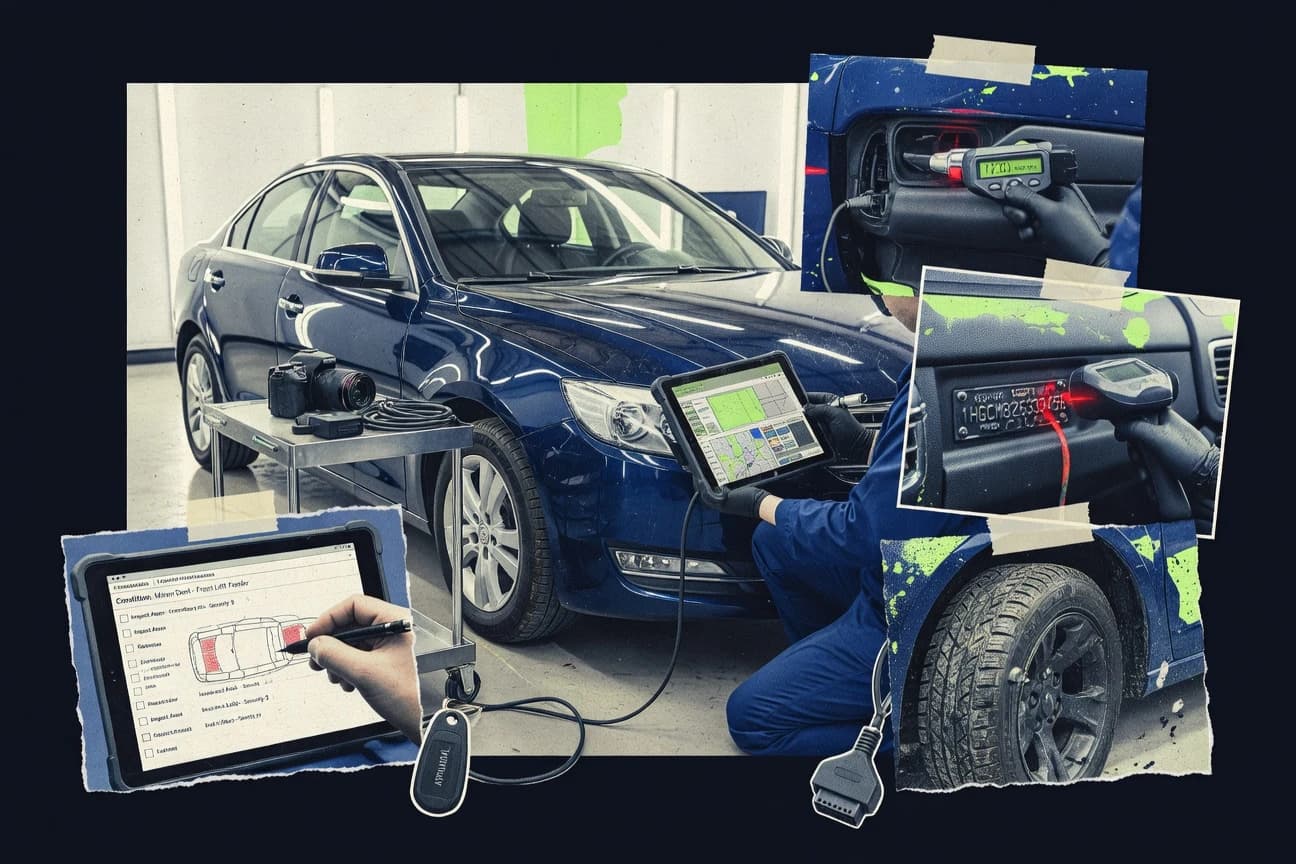
Auto appraisal software manages an auto appraisal workflow that starts with VIN-driven vehicle setup and inspection capture and ends with a valuation report tied to documented evidence. It typically links condition notes and annotated damage photos to a worksheet structure so teams can repeat the same damage assessment approach across cases and revisions.
Mitchell WorkCenter is built around guided appraisal steps that synchronize inspection inputs and valuation outputs per VIN, which supports repeatable report packages across supplements and documentation. vAuto further tightens inspection-to-production by tying damage photo annotation directly to the appraisal worksheet to reduce evidence re-entry during case updates.
Auto Appraisal Software evaluation criteria for inspection to worksheet control
Inspection-to-worksheet workflows determine whether appraisal teams can produce consistent valuation evidence without re-entry across cases and revisions. The strongest tools tie VIN-driven vehicle setup, worksheet fields, and photo documentation into a single case workspace that keeps context intact.
VIN-driven case setup that reduces duplicate intake
Mitchell WorkCenter and DealerCenter use VIN-driven intake to reduce duplicate typing of vehicle details and inspection notes when creating appraisal work. CDK Global similarly aligns appraisal workflow outputs with CDK operational records to keep vehicle context consistent from inspection to report.
Annotated damage photos tied to worksheet evidence
vAuto and Auto/Mate anchor damage photo annotation to the appraisal worksheet so evidence stays attached to the damage items used in valuation decisions. CCC ONE also keeps photo documentation and annotated damage support within the same worksheet context across revisions.
Guided workflow steps that keep inputs and outputs synchronized
Mitchell WorkCenter leads with guided appraisal steps that synchronize inspection inputs and valuation outputs per VIN. Audatex focuses on configurable appraisal workflows that preserve evidence context across supplements and review cycles with audit-ready traceability.
Supplement and revision handling inside the worksheet context
DealerCenter pairs audit trail for appraisal edits with supplement handling inside the appraisal workflow. CCC ONE keeps supplement and revision handling tied to the same appraisal worksheet context so damage assessment packages remain consistent across claim iterations.
Audit trail and governance controls for appraisal edits
DealerCenter provides an audit trail for appraisal edits paired with supplement handling. Mitchell WorkCenter’s documentation packaging supports repeatable appraisal worksheets, which helps teams enforce consistent workflows across supplements and documentation.
Choose Auto Appraisal Software by workflow philosophy and integration surface
Auto appraisal software choices break down by how much the system enforces workflow consistency versus how much it relies on team discipline. Some tools emphasize guided case steps and worksheet synchronization, while others emphasize photo-to-worksheet evidence capture and claims-aligned document flows.
Pick the workflow enforcement model for inspection-to-valuation consistency
If appraisal teams need synchronized inspection-to-valuation packages per VIN, Mitchell WorkCenter’s guided case steps keep inspection inputs and valuation outputs aligned. If the operation is photo-led and wants annotated damage evidence to drive worksheet updates, vAuto’s damage photo annotation tied to the appraisal worksheet reduces evidence re-entry.
Validate how supplements and revisions preserve evidence context
If supplement handling must keep evidence tightly associated with worksheet items, DealerCenter pairs photo-centric appraisal workflow with controlled change history during supplements. If review cycles require evidence context preserved across supplements, Audatex’s configurable workflows provide audit-ready traceability for claims and appraisals.
Align the tool with the dealer’s existing operational system
If the dealer runs primarily inside CDK, CDK Global is built to align appraisal workflow outputs with CDK operational records to keep vehicle context consistent from inspection to report. If the workflow depends on CCC-aligned claims processes, CCC ONE keeps supplement and revision handling tied to the same appraisal worksheet context inside CCC ONE.
Assess how the solution supports governance for multi-role teams
If role separation and edit history are required to control appraisal changes, DealerCenter’s audit trail for appraisal edits supports controlled change history. If the team uses a smaller group and can standardize process setup, Mitchell WorkCenter can work well, but automation depth requires careful dealer workflow configuration.
Confirm integration feasibility for claims and third-party systems
If claims management integration must be built around external shop or claims systems, Auto/Mate flags that deep claims management integration depends on external systems used by the shop. If integration requirements include non-core platforms, Mitchell WorkCenter warns that custom integration work can be needed for nonstandard DMS or claims tools.
Who Auto Appraisal Software is built for
Auto appraisal software is most valuable when teams must standardize vehicle inspection capture and tie that evidence to worksheet-driven valuation outputs. The product fit depends on whether the operation is VIN-centric and photo-evidence driven, or platform-centric around a dealer or claims ecosystem.
Dealer appraisal teams running supplements and revisions frequently
DealerCenter and CCC ONE both keep supplement handling and worksheet context connected, which reduces re-keying when new damage findings change valuation decisions.
Appraisal teams that require documented evidence packages for repeatable reviews
Mitchell WorkCenter is designed to package guided appraisal outputs into synchronized report sets per VIN. vAuto provides annotated damage photo workflows that support documented inspection to valuation production at scale.
Operations centered on CDK or CCC claims workflows
CDK Global aligns appraisal workflow outputs with CDK operational records to reduce duplicate VIN, mileage, and notes entry. CCC ONE keeps supplement and revision handling tied to the same worksheet context for CCC-aligned claims workflows.
Teams that need quick vehicle value inputs rather than full appraisal packets
KBB Instant Cash Offer focuses on VIN-driven cash-offer generation for trade discussions and it does not provide damage assessment workflow support beyond basic condition inputs.
Multi-location dealer groups with limited admin time for governance configuration
DealerCenter’s audit trail supports controlled change history, but role separation requires administration discipline. Mitchell WorkCenter’s guided automation also requires careful dealer workflow configuration to avoid inconsistent setup across locations.
Common pitfalls when implementing Auto Appraisal Software
Implementation failures usually come from mismatched process assumptions rather than missing reporting screens. The recurring issue is workflow drift, where teams capture inspection evidence in ways that no longer align with worksheet fields and supplement expectations.
Allowing inspection practices to vary so annotated evidence no longer matches worksheet items
vAuto emphasizes that workflow consistency depends on enforcing standardized inspection practices, so teams should set inspection rules before scaling case volume.
Overlooking governance and role separation for multi-user edit histories
DealerCenter requires administration discipline for role separation, so teams should define who can modify worksheet fields and when supplements can be initiated.
Treating integrations as plug-and-play when the claims stack is nonstandard
Mitchell WorkCenter can require custom integration work for nonstandard DMS or claims tools, so the integration plan should cover all systems involved in inspection, valuation, and claims transfer.
Expecting mobile inspection edge cases to be covered without workflow validation
Dominion Dealer Solutions notes that mobile inspection workflows are not as clearly defined for edge-case field scenarios, so mobile capture should be tested with the actual team process.
How We Selected and Ranked These Tools
We evaluated Mitchell WorkCenter, vAuto, CDK Global, and the other listed tools on feature coverage at 40%, ease of day-to-day inspection to worksheet workflow at 30%, and value for repeatable appraisal output at 30%. We prioritized inspection-to-worksheet evidence continuity mechanisms such as VIN-driven intake, annotated damage photos tied to worksheet fields, and guided case steps that keep inputs and valuation outputs synchronized.
Mitchell WorkCenter scored highest because guided appraisal steps keep inspection inputs and valuation outputs synchronized per VIN and the case workspace supports consistent report packages across supplements and documentation. We also weighed how tools handle supplements, revision cycles, and audit trail expectations because evidence context breaks most often when damage findings change.
Frequently Asked Questions About Auto Appraisal Software
How does Mitchell WorkCenter keep inspection inputs and valuation outputs synchronized across supplements for the same VIN?
Which tool is best for photo annotation that ties damage evidence directly to the appraisal worksheet?
When teams need deep dealer management system integration to reduce duplicate data entry, how does CDK Global compare with other tools?
How does DealerCenter support audit trail discipline during appraisal edits and supplement handling?
Which platforms handle both pre-loss and post-loss documentation paths inside the appraisal workflow?
What breaks if appraisal teams do not manage RBAC and audit log needs when using insurance-focused workflows?
How does CCC ONE handle supplement and revision changes without losing worksheet context?
Which workflow fits dealers that need a rapid KBB-style cash offer value rather than a full appraisal packet with damage documentation?
When an appraisal requires repeated worksheet revisions tied to ongoing claim supplements, how does Dominion Dealer Solutions approach the workflow?
Tools reviewed
Primary sources checked during evaluation.
Referenced in the comparison table and product reviews above.
Funding and competing interests
This study was co-funded by several of the vendors assessed in it. No single vendor funded it. Funders could propose the market studied.
They had no role in selecting vendors, setting or weighting criteria, analysing data or drawing conclusions, and they received the same factual-accuracy check as every other vendor assessed.
Market definition, inclusion rules and criteria weights were fixed by an editor before research began and did not change afterwards. Editorial process →
- Automotive ServicesTop 10 Best Car Appraisal Software of 2026
- Customer Experience In IndustryTop 10 Best Auto Quote Software of 2026
- Automotive ServicesTop 10 Best Auto Body Estimate Software of 2026
- Finance Financial ServicesTop 10 Best Automotive Lending Software of 2026
- Business FinanceTop 10 Best Auto Cam Software of 2026
Keep exploring
Comparing two specific tools?
Software Alternatives
See head-to-head software comparisons with feature breakdowns, pricing, and our recommendation for each use case.
Explore software alternatives→In this category
Automotive Services alternatives
See side-by-side comparisons of automotive services tools and pick the right one for your stack.
Compare automotive services tools→