
GITNUXSOFTWARE ADVICE
Technology Digital MediaTop 10 Best 360 Product Photography Software of 2026
Top 10 ranking of 360 product photography software for e-commerce. Side-by-side comparisons of Orbitvu, Sirv, Iconasys features and tradeoffs.

How we ranked these tools
Core product claims cross-referenced against official documentation, changelogs, and independent technical reviews.
Analyzed video reviews and hundreds of written evaluations to capture real-world user experiences with each tool.
AI persona simulations modeled how different user types would experience each tool across common use cases and workflows.
Final rankings reviewed and approved by our editorial team with authority to override AI-generated scores based on domain expertise.
Score: Features 40% · Ease 30% · Value 30%
Gitnux may earn a commission through links on this page — this does not influence rankings. Editorial policy
Orbitvu is the pick if catalog teams need fast, consistent 360 viewer publishing from studio capture, whereas Sirv fits ecommerce teams that want hosted, governed 360 viewers across large product catalogs without running their own pipeline.
Editor’s top 3 picks
Three quick recommendations before you dive into the full comparison below — each one leads on a different dimension.
Orbitvu
Hotspot annotation inside the 360 authoring workflow to connect callouts to specific viewer angles.
Built for fits when catalog teams need fast, consistent 360 viewer publishing from studio capture..
Sirv
Editor pickCollection-based viewer publishing with interactive hotspots and annotation mapping in a hosted embed workflow.
Built for fits when ecommerce teams need consistent hosted 360 viewers and governance over large product catalogs..
Iconasys
Editor pickHotspot annotation inside the interactive 360 viewer publishing flow.
Built for fits when ecommerce teams need interactive 360 viewers with hotspot guidance and controlled publishing..
Comparison Table
Orbitvu
enterpriseOrbitvu combines automated product photography systems with software for 360 spins and ecommerce content.
Hotspot annotation inside the 360 authoring workflow to connect callouts to specific viewer angles.
Orbitvu’s core path starts with ordered multi-angle images or frame sequences, then produces a stitched interactive viewer experience that supports zoom and navigation between angles. The authoring side includes hotspot annotation so product pages can include callouts tied to specific viewpoints. Orbitvu also supports embedding through an HTML viewer that can be integrated into existing page layouts.
A key tradeoff is that Orbitvu’s strengths cluster around image-based 360 delivery rather than full 3D model authoring and path tracing workflows. Teams with highly irregular capture setups may spend more effort standardizing shot counts and angle spacing before stitching. Orbitvu fits situations where consistent studio capture yields many SKUs and the viewer must publish reliably across a large catalog.
- +End-to-end workflow from capture sets to embedded interactive viewer
- +Hotspot annotation tied to specific viewer positions
- +Performance-minded image tiling for zoomable angle navigation
- +Reusable viewer embedding for ecommerce and marketing pages
- –Image-first pipeline limits complex 3D authoring workflows
- –Stitching quality depends on consistent capture angle spacing
- –Hotspot styling and layout controls can feel restrictive for custom UI
- –Advanced automation relies on integration work rather than in-product rules
Ecommerce merchandising teams
Ship 360 viewers with embedded hotspots
Fewer manual page rebuilds
Digital asset managers
Standardize multi-angle image sequences
More predictable publish results
Show 2 more scenarios
Studio production leads
Reduce rework on capture sets
Lower retake rates
Studios enforce repeatable angle spacing to improve stitching quality across high SKU volume.
Web engineering teams
Embed 360 viewers in page templates
Faster catalog page delivery
Engineers integrate the HTML viewer into existing templates while keeping navigation and zoom consistent.
Best for: Fits when catalog teams need fast, consistent 360 viewer publishing from studio capture.
Sirv
SMBDynamic image management with 360 spin and zoom capabilities.
Collection-based viewer publishing with interactive hotspots and annotation mapping in a hosted embed workflow.
Sirv fits teams that need consistent 360-degree viewer output across many SKUs without building a custom frontend pipeline from scratch. It handles viewer configuration for embedded and ecommerce placements, and it can generate publishable outputs from source imagery workflows into zoomable experiences. Asset delivery is designed for scale, with caching-friendly URLs and viewer parameters that map to collections.
A notable tradeoff is that deeper custom viewer behavior can require front-end work beyond Sirv’s configuration UI. Sirv works best when a catalog owner wants predictable viewer output for an existing ecommerce flow, and when governance of published product sets matters for multiple teams.
- +Embedded viewer configuration supports ecommerce placement without custom builds
- +Interactive annotation and hotspot workflows map to product pages
- +Catalog-level publishing reduces per-SKU setup overhead
- +Hosted delivery improves performance via cache-friendly asset URLs
- –Advanced interaction changes may require frontend development
- –Viewer customization options can be constrained versus fully custom WebGL
Ecommerce merchandising teams
Launch 360 viewers for new collections
Faster rollout per catalog
Digital asset managers
Centralize product imagery delivery
Less asset duplication
Show 2 more scenarios
Product data operators
Maintain viewer configuration consistency
Lower operational variance
Apply reusable publishing settings across SKU batches to standardize zoom and interactivity behavior.
Support and QA teams
Validate interactive hotspots on pages
Fewer page regressions
Confirm hotspot placement and viewer interactivity across published product sets for customer-facing pages.
Best for: Fits when ecommerce teams need consistent hosted 360 viewers and governance over large product catalogs.
Iconasys
vertical specialistIconasys provides product photography software for 360 spins, multi-angle images, and studio capture control.
Hotspot annotation inside the interactive 360 viewer publishing flow.
Iconasys pairs multi-angle capture handling with an interactive viewer experience that can include hotspots and guided navigation. Embedded viewer outputs make it practical to place interactive spins directly inside product pages or landing modules. The workflow supports repeated uploads and regeneration so catalog refreshes do not require manual viewer rebuilding for each SKU.
A key tradeoff is that teams with highly customized viewer UX often need additional configuration to match their exact design system. It fits best when a catalog team needs consistent viewer output at scale and wants governance around which assets become publishable.
- +Embedded interactive viewers for product-page placement
- +Hotspot annotation support for guided 360 experiences
- +Batch processing workflow for recurring SKU updates
- +Publishing controls for repeatable catalog governance
- –Advanced viewer customization needs extra configuration
- –Workflow assumptions may not match highly bespoke capture rigs
- –Hotspot styling can require iterative setup to match UI standards
- –Integration setup depends on the target ecommerce architecture
Ecommerce merchandisers
Launch new SKUs with guided hotspots
Faster content refreshes
Content operations teams
Batch process large catalog updates
Lower manual rework
Show 2 more scenarios
Product catalog managers
Enforce publishing control across stores
Reduced wrong-asset releases
Catalog managers restrict which asset sets reach embedded storefront placements using governed publishing workflows.
Studio production leads
Convert capture batches into viewers
More consistent delivery
Studio teams prepare multi-angle asset batches and generate interactive viewer outputs for downstream embedding.
Best for: Fits when ecommerce teams need interactive 360 viewers with hotspot guidance and controlled publishing.
Glo3D
vertical specialistAutomotive 360 product photography and video platform.
WebGL viewer publishing designed for embedding spins into existing product pages and catalogs.
Glo3D is a 360 product photography software product focused on turning captured media into interactive, web-viewable product experiences. It supports an object photography workflow that combines multi-angle image sequencing with viewer publishing. Glo3D emphasizes interactive viewing behavior through a WebGL viewer that can be embedded for ecommerce and catalog placements.
- +Embedded viewer output for placing spins inside storefront templates
- +Multi-angle frame sequencing suited to product turntable capture
- +WebGL-based rendering for interactive zoom and rotation
- +Workflow oriented around producing viewer-ready assets
- –Governance controls and team workflows are not clearly positioned for larger orgs
- –Advanced editing capabilities for backgrounds and masking are limited versus D2C specialists
- –Automation and API surface for bulk publishing is not a clear strength
- –Live viewer customization options can be constrained for bespoke UI requirements
Best for: Fits when ecommerce teams need interactive 360 product viewer publishing from turntable captures.
Yotpo Product Photos
enterpriseVisual commerce suite including 360 product spin capabilities.
Capture-to-publish automation that applies background removal and merchandising rules as images move into storefront-ready asset sets.
Yotpo Product Photos creates turntable-style multi-angle assets that feed Yotpo’s interactive ecommerce presentation workflows. The product centers on automated capture, background removal, and publishing controls that reduce manual photo cleanup across catalog changes.
Integration focuses on ecommerce and content surfaces connected to Yotpo, where captured media is pushed for storefront rendering and merchandising review. Administration supports governance of collections and asset availability across products so teams can manage what customers see without rebuilding viewers per SKU.
- +Automated background removal tied to the capture-to-publish workflow
- +Catalog-level controls for deciding which products get new imagery
- +Integration-first approach for getting captured media into Yotpo commerce surfaces
- +Turntable capture pipeline reduces per-SKU manual setup
- –360 viewing customization options are narrower than dedicated viewer-only tools
- –Workflow automation relies on Yotpo-connected storefront and merchandising surfaces
- –Bulk operations can require catalog hygiene to avoid mismatched asset replacements
Best for: Fits when ecommerce teams want managed capture-to-publish for multi-angle imagery without building their own pipeline.
Magic 360
SMBJavaScript 360 product spin viewer by Magic Toolbox.
Embedded viewer publishing geared for multi-angle frame sequences from studio turntable capture.
Magic 360 is a 360 product photography workflow tool focused on turning studio captures into interactive, zoomable product viewers. It supports multi-angle image sequences with viewer publishing that targets embedded ecommerce use cases. Magic 360 also includes automation around packaging the captured frames into viewer-ready assets and managing asset delivery for product pages.
- +Interactive viewer output suited for embedded product detail pages
- +Frame-to-viewer workflow reduces manual assembly steps
- +Background removal is positioned for faster production of clean spins
- +Export formats support common ecommerce rendering paths
- –Pipeline depends on consistent capture settings across angles
- –Limited admin controls for multi-team production governance
- –Customization depth in the viewer UI is constrained
- –Studio preview feedback lags behind asset publishing steps
Best for: Fits when ecommerce teams need an image-sequence to interactive viewer pipeline with minimal engineering.
Cappasity
API-firstCappasity creates interactive 3D and 360 product experiences for ecommerce and digital commerce catalogs.
Configurable production workflows that translate multi-image inputs into standardized interactive viewers for catalog-scale publishing.
Cappasity focuses on automating the path from studio capture to a web-ready interactive product viewer, with an emphasis on configuration of capture-to-render pipelines. The core workflow connects image upload, multi-angle processing, and publication to embedded WebGL or HTML5 viewers for ecommerce placement.
Cappasity also supports operational controls for asset reuse, re-rendering triggers, and viewer delivery behaviors that reduce manual rework. Governance and integration depth are strongest where teams want repeatable production settings and consistent viewer output across catalogs.
- +Repeatable capture-to-viewer pipeline reduces per-SKU manual tuning
- +Viewer embedding options fit ecommerce placements with minimal custom UI work
- +Re-render controls support consistent updates across large SKU catalogs
- +Processing workflow supports multi-image sequences for smooth viewing
- –Automation setup requires upfront mapping of capture settings to outputs
- –Fine-grained viewer customization can demand developer work for edge cases
- –Integration surfaces feel more production-oriented than analytics-first
- –Workflow troubleshooting is harder when a single asset fails processing
Best for: Fits when catalog teams need repeatable multi-angle capture processing and consistent embedded viewers across many SKUs.
SpinMe
vertical specialistSpinMe provides software and capture workflows for creating interactive 360-degree product imagery.
Project-driven publishing with image-set management that keeps multi-SKU viewer outputs consistent across updates.
SpinMe is built to turn studio turntable capture into a publishable, interactive product viewer with multi-angle frame sequences. The software’s core workflow centers on ingesting an image set, configuring spin behavior and viewer presentation, and exporting images in formats suited for web delivery.
SpinMe also supports background removal and object masking so the final viewer can render product-only visuals over configurable backgrounds. Admin control focus shows up in how projects are managed across teams and how assets are organized for repeatable publishing.
- +Guided capture-to-viewer pipeline for consistent multi-angle output
- +Project-based publishing that keeps assets organized across SKUs
- +Background removal and object masking support cleaner interactive presentation
- +Viewer configuration options help tune spin experience without manual editing
- –Limited visibility into viewer internals makes deep customization harder
- –Workflow depends on having well-structured image sequences
- –API and extensibility details are not as transparent as more developer-first tools
- –Stitching and rendering quality relies on capture consistency
Best for: Fits when ecommerce teams need repeatable spin viewer creation from studio captures with masking and basic viewer tuning.
Arqspin
vertical specialistArqspin produces interactive 360 product views with automated capture, image processing, and web publishing.
Arqspin’s project configuration ties capture-to-viewer exports together so angle sequences stay consistent across batches.
Arqspin produces 360-degree product spins from studio capture into a viewer-ready image set. It focuses on stitching and export workflows that keep frame sequences consistent across angles.
The output supports embedding as an interactive Web viewer for product detail pages. Administrative control centers on project-level configuration for managing multiple catalogs and publishing targets.
- +Generates consistent frame sequences from multi-angle capture
- +Web viewer embedding supports interactive zoom and angle navigation
- +Project-level publishing targets simplify multi-catalog output
- +Export formats cover common ecommerce delivery needs
- –Batch operations can require repeat configuration across product sets
- –Lacks built-in studio rig guidance for capture alignment
- –API surface and automation hooks are narrower than top-tier contenders
- –Thumbnails and viewer state control take extra configuration work
Best for: Fits when teams need repeatable 360 viewer exports for multiple product catalogs without deep engineering.
Magic 360
SMBMagic 360 adds responsive 360 product viewers to ecommerce sites through platform-specific integrations.
HTML5 embeddable viewer generation that packages multi-angle assets into a commerce-ready interactive experience.
Magic 360 is a 360 product photography and viewer authoring tool from Magic Toolbox with a workflow designed around capturing or preparing multi-angle image sequences and publishing an interactive viewer. The core capabilities focus on stitching or assembling multi-frame assets into a Web-based experience with configurable controls for spin, navigation, and zoom.
Magic 360 also supports generating embeddable viewer output so ecommerce pages can display the interactive spin without requiring a separate 3D pipeline. The product emphasis is on turning frame sets into a consistent delivery format for online commerce galleries and embedded use.
- +Interactive Web viewer output built for embedding into ecommerce pages
- +Configurable viewer controls for spin, zoom, and navigation
- +Workflow oriented around transforming multi-angle image sequences into publishable media
- +Export formats support reuse of generated viewer assets across channels
- –Frame preparation quality limits final stitching and spin stability
- –Less suited for fully dynamic, real-time capture pipelines without pre-rendered assets
- –Hotspot and annotation depth is limited compared with specialized configurators
- –Asset management and governance depend on external systems for large catalogs
Best for: Fits when product teams need consistent interactive image spins from prepared frame sequences.
Conclusion
After evaluating 10 technology digital media, Orbitvu stands out as our overall top pick — it scored highest across our combined criteria of features, ease of use, and value, which is why it sits at #1 in the rankings above.
Use the comparison table and detailed reviews above to validate the fit against your own requirements before committing to a tool.
How to Choose the Right 360 product photography software
This buyer's guide covers Orbitvu, Sirv, Iconasys, Glo3D, Yotpo Product Photos, Magic 360, Cappasity, SpinMe, Arqspin, and Magic 360 as 360 product photography software used to turn multi-angle studio capture into embedded interactive product viewers.
The comparison prioritizes integration depth between capture-to-publish workflows and commerce placement, the way each tool structures hotspot or viewer authoring, and how much automation reduces per-SKU manual assembly. Orbitvu leads the list for hotspot annotation tied to specific viewer angles, while the other tools split between hosted embedded viewers and capture-to-publish pipelines with varying levels of viewer control.
360 product photography software for interactive spins and embedded product viewers
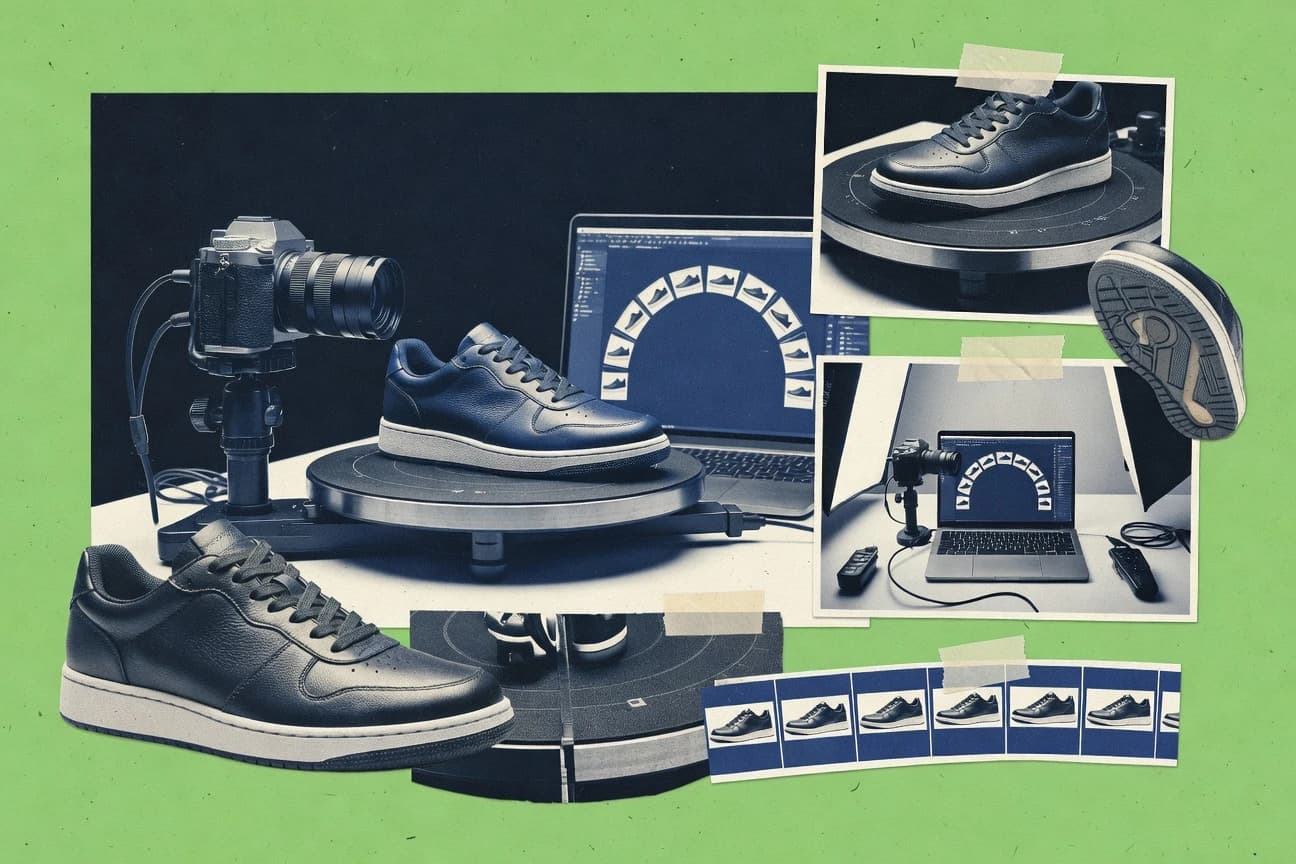
360 product photography software converts turntable and multi-angle capture sets into interactive viewers that support angle navigation and zoom within embedded storefront or product-page experiences. Many tools also manage frame sequencing, stitching, and publishing output formats that ecommerce teams can place directly into existing templates.
Orbitvu is built around an authoring workflow that connects hotspot annotation to specific viewer positions, which targets interactive callouts tied to precise angles. Yotpo Product Photos focuses on capture-to-publish automation that applies background removal and merchandising rules as images move into storefront-ready asset sets, which reduces manual handling across product catalogs.
Who benefits from these 360 product photography software workflows
Teams that publish 360 product viewers at catalog scale need software that reduces per-SKU assembly while preserving storefront-ready interactivity. The best fit depends on whether the team owns hotspot authoring, capture processing automation, or export consistency across many SKUs.
Ecommerce catalog teams embedding interactive spins across many product pages
Sirv is designed around hosted embedded viewer configuration and annotation mapping for ecommerce placement. Glo3D is built for embedding spins into existing storefront templates using WebGL viewer publishing.
Merchandising and operations teams that need enforced background removal and catalog rules
Yotpo Product Photos applies background removal and merchandising rules automatically in the capture-to-publish workflow. Cappasity targets repeatable capture-to-viewer processing so the outputs stay consistent across many SKUs.
Studio and content teams that must guarantee angle-accurate hotspots and callouts
Orbitvu ties hotspot annotation to specific viewer positions so callouts align with exact angles in the embedded viewer. Iconasys supports hotspot annotation inside its interactive 360 publishing flow for guided 360 experiences.
Operations teams running multi-SKU capture programs with frequent batch updates
SpinMe organizes work through project-driven publishing and image-set management to keep viewer outputs consistent across SKUs. Arqspin uses project configuration to keep exports consistent so angle sequences remain aligned across batches.
Common pitfalls when selecting 360 product photography software
Many selection mistakes come from assuming the software provides the same level of governance, authoring flexibility, and workflow tolerance for inconsistent capture. These pitfalls show up as broken hotspot placement, unstable spin transitions, or extra engineering when embedding needs go beyond defaults.
Choosing a viewer-only workflow when the capture-to-publish process must enforce background removal and merchandising rules
Yotpo Product Photos is built to apply background removal and merchandising rules as images move into storefront-ready asset sets. Dedicated viewer tools like Orbitvu focus on interactive authoring and angle-linked hotspots, so they may not replace capture governance.
Underestimating how capture angle spacing affects stitching and spin stability
Orbitvu depends on consistent capture angle spacing for stitching quality. Magic 360 (magictoolbox) also notes that frame preparation quality limits stitching and spin stability.
Expecting fully free-form interactive customization from a hosted embedded viewer without frontend work
Sirv warns that advanced interaction changes may require frontend development for nonstandard requirements. Glo3D is focused on WebGL embedding, but teams needing deeper editing for masking and backgrounds may hit limits.
Selecting a tool that assumes the studio pipeline already produces perfectly structured image sequences
Magic 360 depends on consistent capture settings across angles, which can fail when capture rigs drift. Arqspin exports consistent frame sequences but lacks built-in studio rig guidance for capture alignment.
How We Selected and Ranked These Tools
We evaluated Orbitvu, Sirv, Iconasys, Glo3D, Yotpo Product Photos, Magic 360, Cappasity, SpinMe, Arqspin, and Magic 360 (magictoolbox) by focusing on features, ease, and value, with features weighted at 40% and ease plus value each weighted at 30%. Features emphasized embedded interactive publishing workflow, hotspot or annotation behavior tied to viewer positions, and capture-to-publish automation behavior that reduces per-SKU manual assembly.
Ease emphasized how directly the workflow moves from capture inputs to embedded viewer outputs without extra configuration cycles. Orbitvu ranked highest because hotspot annotation is tied to specific viewer angles inside its 360 authoring workflow and because the end-to-end workflow connects capture sets to embedded interactive viewer publishing.
Frequently Asked Questions About 360 product photography software
How does Orbitvu connect hotspot callouts to specific 360 angles during publishing?
Which tool is better for hosted viewer governance across large catalogs, Sirv or Iconasys?
What breaks if a team skips object masking before exporting spins in SpinMe?
When does Glo3D’s WebGL viewer approach matter compared with HTML5-style embeds like Magic 360?
How does Yotpo Product Photos reduce manual cleanup when products change frequently?
How do Cappasity’s configuration and re-rendering triggers affect throughput for multi-SKU updates?
What is the main difference between Arqspin and Orbitvu for keeping angle sequences consistent?
How should admin controls be evaluated when choosing between Sirv and Cappasity for catalog publishing?
Which tool is positioned for end-to-end capture-to-embedded output with minimal engineering, Magic 360 or Magic Toolbox’s workflow in Magic 360?
Tools reviewed
Primary sources checked during evaluation.
Referenced in the comparison table and product reviews above.
- Technology Digital MediaTop 10 Best 360 Photo Booth Software of 2026
- Consumer RetailTop 10 Best Product Catalog Software of 2026
- Arts Creative ExpressionTop 10 Best Photography Business Software of 2026
- Technology Digital MediaTop 10 Best 3D Virtual Tours Software of 2026
- Digital Products And SoftwareTop 10 Best Photo Organising Software of 2026
Keep exploring
Comparing two specific tools?
Software Alternatives
See head-to-head software comparisons with feature breakdowns, pricing, and our recommendation for each use case.
Explore software alternatives→In this category
Technology Digital Media alternatives
See side-by-side comparisons of technology digital media tools and pick the right one for your stack.
Compare technology digital media tools→